Which Linux distro is best for the ultimate power-user gaming and office setup running the latest CPU and GPU tech?
The landscape of desktop operating systems is shifting. For years, the conventional wisdom for anyone transitioning to Linux was to install a “Long Term Support” (LTS) distribution for maximum stability. However, the arrival of ultra-modern hardware — specifically the Intel Core Ultra processors featuring Arc iGPUs, paired with bleeding-edge dedicated graphics like the NVIDIA RTX 50-series — has completely rewritten the rulebook.
If you are a power user who needs a machine that seamlessly transitions between heavy office productivity, remote desktop access, virtual machines and high-end gaming, legacy distributions will no longer cut it. You need a system that ships recent kernels and graphics stacks, supports fractional scaling across multiple monitors, handles dynamic hybrid-graphics switching, offers massive software repositories, and looks familiar to someone coming from Windows.
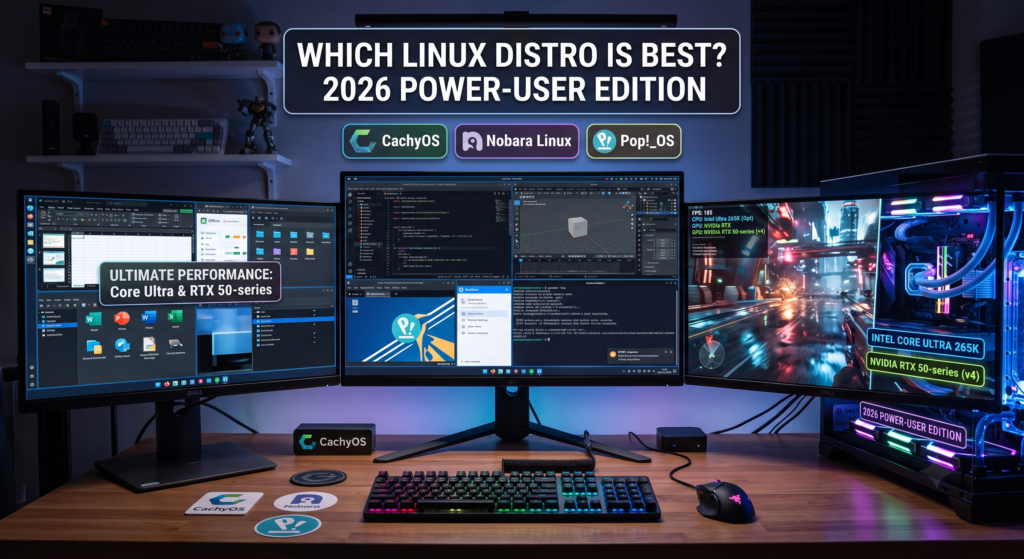
A note on what changed: since our last update we have retired Bazzite from this list. Its immutable, atomic design — where the core system is locked down and updated as a single image — is superb for an unbreakable, console-style appliance. But it has drawn growing criticism from power users: you cannot freely modify the base, layering drivers or low-level tools means rebasing or leaning on containers, and troubleshooting NVIDIA quirks or niche hardware can hit walls that ordinary distros never do. For a genuinely hackable power-user machine, that trade-off no longer makes the cut. That leaves three fully mutable, endlessly tweakable distributions pulling ahead — and one of them has pulled clearly into the lead: CachyOS, Nobara Linux, and Pop!_OS.
The Hardware Bottleneck: Why Modern is Mandatory
Running an Intel Core Ultra (like the 265K) or an NVIDIA 50-series GPU creates a unique challenge. You want an operating system shipping a recent kernel (anywhere from 6.14 up to 7.0 in mid-2026) and Mesa 25.x, so the thread scheduler handles Intel’s P-cores and E-cores efficiently while properly driving the Arc iGPU pipeline. NVIDIA has also finally smoothed the Wayland experience: open GPU kernel modules are now the default, and explicit-sync support has eliminated the old flickering that plagued NVIDIA on Wayland. On top of that, driving a high-resolution laptop display alongside external 1080p or 4K monitors requires flawless “fractional scaling” — something only recently perfected through the Wayland display protocol.
Here is how the three leading distributions tackle these modern demands.
1. CachyOS: The Performance Leader
Based on Arch Linux, CachyOS has spent 18+ consecutive months at the top of the DistroWatch charts — an almost unheard-of run for a newcomer, and a strong signal of just how much attention it commands. It is built for one thing above all: extracting every ounce of performance from modern silicon.
- The Edge: A rolling-release model means kernels, Mesa and drivers arrive the moment they ship — ideal for the latest Intel Arc and NVIDIA hardware. Its custom, heavily-tuned kernel (with the BORE / sched-ext schedulers) is paired with repositories compiled with architecture-specific flags (x86-64-v3/v4, Zen 4) plus LTO/PGO/BOLT optimisation, producing measurable gains — gamers routinely report 10–15% higher framerates and lower latency than stock Arch. The “CachyOS Hello” tool installs optimised drivers with a single click.
- The Workflow: It defaults to the Windows-like KDE Plasma desktop, with flawless Wayland multi-monitor fractional scaling and native battery-threshold sliders. Automatic BTRFS snapshots taken before every update mean a bad update is a one-reboot rollback, taming the classic rolling-release risk. Its Arch base grants the AUR — the single largest software catalogue on the planet — and Proton is bundled for gaming. There is even a dedicated Handheld Edition for the Steam Deck, ROG Ally and Legion Go.
2. Nobara Linux: The Gamer’s Safe Haven
Built on a Fedora foundation (now Fedora 43), Nobara is engineered by Thomas Crider (GloriousEggroll), the creator of the widely-used Proton-GE compatibility layer. If your priority is gaming with zero setup, nothing is smoother.
- The Edge: It takes the friction out of high-performance Linux. The installer auto-detects complex hardware and pulls in the exact proprietary NVIDIA drivers your GPU needs — no reboot, no terminal — and its revamped driver manager lets you toggle open vs proprietary NVIDIA drivers and standard vs Git Mesa Vulkan. Because Proton-GE and a custom FSYNC-patched kernel are baked in, huge Steam libraries and demanding Windows games run out-of-the-box.
- The Workflow: It ships in five editions (a custom KDE Plasma “Official” build, GNOME, vanilla KDE, plus Steam-HTPC and Steam-Handheld), all with Wayland fractional scaling and GUI hardware management. OBS Studio, codecs and WINE dependencies come preconfigured. Do note: Nobara is an independent hobby project with no formal support and is explicitly not intended for mission-critical production — and occasional package-dependency bugs can follow big updates.
3. Pop!_OS: The Laptop & Workstation Powerhouse
Pop!_OS is the only Debian/Ubuntu-based option here, making it instantly comfortable for anyone who knows standard apt commands. Maintained by hardware manufacturer System76, it was reborn in December 2025 with the 24.04 LTS release and the first stable version of its in-house COSMIC desktop.
- The Edge: Best-in-class power management. Its System76 Power daemon natively handles hybrid graphics, shutting down the power-hungry NVIDIA dGPU during office work and relying on the Intel Arc iGPU to maximise battery — switch between “Integrated,” “Hybrid” and “NVIDIA” in one click. It also ships a dedicated NVIDIA ISO and is aggressive about patching in modern laptop features such as MIPI webcams. The 24.04 LTS release runs on kernel 6.17.
- The Workflow: The new COSMIC desktop — written in Rust, running on Wayland — brings genuinely useful auto-tiling and powerful per-display Workspaces that make juggling documents, browser tabs and remote sessions smoother than a traditional layout. Its COSMIC Store pulls from both the Debian/APT repositories and Flathub. COSMIC is polished but still an “Epoch 1” (1.0) desktop, so expect a few rough edges as it matures. Prefer KDE? It is one
aptcommand away.
Master Feature Comparison Matrix
| Feature | CachyOS | Nobara Linux | Pop!_OS |
|---|---|---|---|
| Core Architecture | Arch-based (rolling) | Fedora-based (rolling within release) | Ubuntu/Debian-based (LTS) |
| Recommended Desktop | KDE Plasma (Windows-like) | KDE Plasma (Windows-like) | COSMIC (or install KDE via apt) |
| Intel Arc iGPU (Core Ultra) | Absolute best — day-one kernel & Mesa (Arch ships newest first) | Excellent — Fedora upstream delivers fresh Mesa/kernel quickly | Very good — System76 kernels on the Ubuntu 24.04 base (kernel 6.17) |
| NVIDIA RTX Support | 1-click optimised install (CachyOS Hello); newest drivers first, open kernel modules | Installer auto-loads the correct driver; GUI toggles open/proprietary + Mesa Vulkan builds | Dedicated NVIDIA ISO; drivers baked in for out-of-box RTX (incl. 50-series/Blackwell) |
| Hybrid Graphics Power Mgmt | supergfxctl / EnvyControl (flexible, mostly manual) | EnvyControl GUI (toggle iGPU / hybrid / dGPU) | Best-in-class — System76 Power daemon, one-click switching for battery |
| Multi-Monitor / Fractional Scaling | Wayland (flawless independent per-display scaling) | Wayland (flawless independent per-display scaling) | Wayland (native in COSMIC or KDE) |
| Battery Threshold Config | GUI slider (KDE native) | GUI slider (KDE native) | GUI (COSMIC battery applet + power profiles) |
| Virtual Machines & GPU Passthrough | Excellent — newest kernel + QEMU/KVM; the Arch base has the definitive VFIO / GPU-passthrough documentation; virt-manager one click away | Excellent — Fedora’s strong KVM stack with GNOME Boxes & virt-manager; solid passthrough (mind SELinux) | Good — KVM/QEMU + virt-manager handle standard VMs well; the older LTS kernel makes cutting-edge passthrough more effort |
| App Ecosystem (RustDesk, Office) | Pacman + AUR + Flatpak (largest total catalogue) | Discover / Flatpost (Flatpak) + RPM & RPMFusion | COSMIC Store (APT + Flathub) — vast Debian repos + Flatpak |
| System Safety Nets | Automatic BTRFS snapshots (boot into a previous snapshot to recover) | BTRFS snapshots; Flatpak repair tool; Secure Boot toggle | Recovery partition + “Refresh Install” (reinstall keeping files, settings & Flatpaks) |
| Steam Gaming Support | Excellent — Proton bundled, performance-tuned kernel; Handheld Edition available | Top tier — Proton-GE pre-installed by its author; FSYNC kernel; Steam-HTPC/Handheld editions | Very good — Steam + Proton; a few stubborn titles may need manual Proton-GE |
| Key User Complaints (2026) | Rolling updates need occasional oversight; AUR requires caution | Hobby project (no production support); occasional dependency bugs after big updates | COSMIC Epoch 1 still has rough edges as it matures |
| Terminal Syntax | pacman | dnf | apt (classic Debian) |
2026 Community, Ecosystem & Gaming Compatibility Statistics
| Metric | CachyOS | Nobara Linux | Pop!_OS |
|---|---|---|---|
| DistroWatch Rank (mid-2026) | #1 (held for 18+ months) | Mid-pack | Top-20 |
| Estimated Total Users | ~500k – 1M+ (surging) | ~100k – 500k | ~3M – 5M+ |
| Estimated Monthly Growth | High — sustained #1 interest | ~5,000 – 15,000 | ~50,000 – 100,000 |
| GUI App Repository Size | 80,000+ (Pacman + AUR + Flatpak) | ~66,000+ (RPM + Flatpak) | ~73,000+ (APT + Flatpak) |
| Steam Games Supported | Virtually the entire Steam catalogue via Proton (enhanced by custom kernel tuning) | Virtually the entire Steam catalogue (best out-of-box, Proton-GE built in) | Virtually the entire Steam catalogue (a few titles need manual Proton tweaks) |
| Non-Steam Games (Epic, GOG, EA) | Massive — all launchers via the AUR/Flatpak | Massive — Heroic & Lutris pre-configured | Massive — all launchers via Flatpak/APT |
| Top User Compliment | Unmatched raw performance and immediate access to the newest hardware drivers. | Seamless gaming tweaks and custom Proton layers for maximum out-of-box compatibility. | Best-in-class laptop power management and vast, familiar Debian package availability. |
| Top User Complaint | Bleeding-edge updates can occasionally require the automated rollback snapshots. | Occasional minor package-dependency conflicts after major updates. | Early growing pains and visual bugs with the new COSMIC desktop. |
Category Comparison
| Category | Winner | Why? |
|---|---|---|
| Raw Performance & Latency | CachyOS | Its custom scheduler and architecture-optimised packages (x86-64-v3/v4, LTO/PGO/BOLT) deliver measurably higher framerates and snappier desktop response than any general-purpose distro. |
| Intel Arc Graphics | CachyOS | Arc relies on the very latest Mesa and kernel. As a rolling Arch base, CachyOS receives these before Fedora or Ubuntu, keeping the Arc iGPU/dGPU at peak potential. |
| Virtual Machines & Passthrough | CachyOS | The newest kernel and QEMU, combined with the Arch ecosystem’s definitive VFIO documentation, make GPU passthrough and heavy virtualisation the least painful here. Nobara (Fedora) is a very close second. |
| Gaming (out-of-the-box) | Nobara | The undisputed king for zero-setup gaming: a custom FSYNC-patched kernel and Proton-GE pre-installed by its own author mean complex Steam libraries and Windows-exclusive games just run. |
| NVIDIA (hybrid & battery) | Pop!_OS | Still the gold standard for NVIDIA laptops thanks to its dedicated ISO and the System76 Power daemon, which switches Integrated / Hybrid / NVIDIA modes in one click — essential for battery life. |
| General Office | Pop!_OS | The COSMIC desktop is built for efficiency; its auto-tiling and per-display Workspaces make managing lots of documents and browser tabs smoother than a traditional layout. |
| Remote Desktop | Pop!_OS | A “workstation-first” OS: integration with RustDesk/Remmina is seamless, and its LTS network stack for VPNs and remote sessions tends to be more stable than bleeding-edge alternatives. |
| Design / Creative | Pop!_OS | For GIMP, Inkscape and Blender, the COSMIC workflow minimises distractions, with excellent high-resolution and fractional-scaling support for precision work on 4K monitors. |
The Verdict
The era of trading hardware performance for Linux stability is over — and there is now a clear front-runner. For the mission this article cares about, wringing maximum performance out of the newest CPUs and GPUs while still handling office work, remote access and virtual machines with ease, CachyOS is the real leader. It is no accident that it has topped the popularity charts for a year and a half: the day-one drivers, performance-tuned kernel, one-click hardware setup and automatic rollback snapshots give you Arch’s bleeding edge without Arch’s traditional pain.
That said, the “best” choice still depends on what you value most. Pop!_OS actually wins the most individual categories and remains the smarter pick for laptop and workstation users who prize best-in-class battery/hybrid-graphics management and a Debian base — just be aware COSMIC is still a young desktop. And if your machine exists first and foremost to play games with zero fuss, Nobara remains the most frictionless gaming experience on Linux.
For now its Nobara vs CachyOS for gamers and power users – The winner may be clear in 2027!