20 Best Free and Cheap Alternatives to Adobe, Microsoft Office, and Windows Software.
Most of us default to the industry standards (like Adobe Creative Cloud or Microsoft Office), but subscription costs add up fast. I’ve compiled a master grid of the best alternatives…
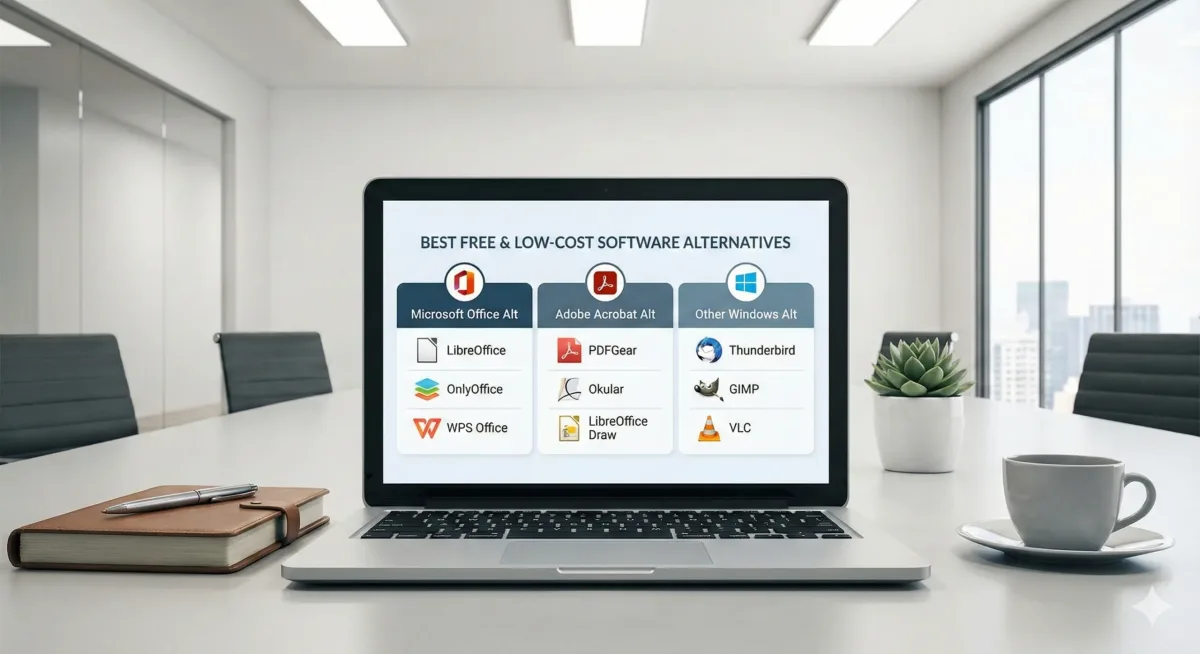
Most of us default to the industry standard — Adobe Creative Cloud, Microsoft Office — and the subscriptions quietly add up. This is our working grid of alternatives across every category we get asked about, covering free desktop software, browser-based tools, cheaper paid options, and native Linux replacements for anyone switching operating system entirely.
How to read the grid
A few standing recommendations before the tables. LibreOffice remains the best free desktop office suite, with OnlyOffice the best desktop and online hybrid. Any Linux distribution will run the web versions of Word, Excel and Outlook, which is an acceptable answer for plenty of people. PDFGear is our pick as a free Acrobat replacement. Prices shown are indicative and worth checking before you buy.
- 1 · Productivity & office
- 2 · Desktop publishing
- 3 · Creative & multimedia
- 4 · Development & utilities
- 5 · Infrastructure & server
- 6 · Internet, security & gaming
- 7 · 3D printing & CAD
Nothing matches that filter. Try a shorter word, or clear the box to see everything again.
Productivity, office & organisation
| Target software | Free desktop | Free cloud / web | Low cost / value | Linux free | Linux paid / pro |
|---|---|---|---|---|---|
| Microsoft Word | 1. LibreOffice Writer Pick 2. OnlyOffice Desktop |
1. Proton Docs 2. Google Docs 3. Word Online |
Not needed — the free options are excellent | 1. LibreOffice Writer 2. OnlyOffice Desktop 3. AbiWord (simple) |
Not needed |
| Microsoft Excel | 1. LibreOffice Calc Pick 2. Gnumeric |
1. Proton Sheets 2. Google Sheets |
Not needed — the free options are excellent | 1. LibreOffice Calc 2. Gnumeric |
Not needed |
| PowerPoint | 1. LibreOffice Impress 2. Calligra Stage |
1. Canva 2. Google Slides |
1. Prezi | 1. LibreOffice Impress 2. Calligra Stage |
Not needed — Impress and OnlyOffice cover it |
| Adobe Acrobat | 1. PDFGear Pick 2. LibreOffice Draw 3. OnlyOffice 4. SumatraPDF (viewer) |
1. Stirling PDF (self-hostable) 2. iLovePDF (limited) 3. TinyWow (ads) |
1. PDF-XChange Editor (~$56 once) | 1. Stirling PDF 2. OnlyOffice 3. LibreOffice Draw 4. Okular / Evince (viewers) |
1. Master PDF Editor (~$79 once) 2. PDF Studio (~$139) |
| Microsoft Teams | 1. Element (encrypted) | 1. Signal 2. Jitsi Meet |
1. Rocket.Chat (self-hosted) | 1. Element (Matrix) | 1. Mattermost |
| Notion | 1. Obsidian 2. Joplin |
1. Microsoft Loop 2. Anytype |
1. UpNote 2. Evernote |
1. AppFlowy 2. Joplin |
1. Obsidian (paid sync) 2. Standard Notes |
| OneNote | 1. Joplin 2. CherryTree |
1. Proton Docs 2. Google Keep |
1. Standard Notes 2. Scrivener |
1. Joplin 2. Zim Wiki |
1. Standard Notes 2. Obsidian |
| Trello | 1. Kanboard 2. TaskCoach |
1. Asana 2. ClickUp |
1. Monday.com 2. TickTick |
1. Planner 2. Kanboard |
1. TickTick (web) 2. Todoist (web) |
| Outlook | 1. Thunderbird Pick 2. Mailspring |
1. Proton Mail 2. Gmail |
1. eM Client | 1. Thunderbird 2. Evolution |
1. Mailspring Pro |
Desktop publishing
Magazines, brochures, books and page layout.
| Target software | Free desktop | Free cloud / web | Low cost / value | Linux free | Linux paid / pro |
|---|---|---|---|---|---|
| Adobe InDesign | 1. Affinity (Layout studio) Pick 2. Scribus 3. VivaDesigner (free edition) |
1. Canva 2. Marq (formerly Lucidpress) |
1. QuarkXPress | 1. Scribus 2. Inkscape (single page) |
1. VivaDesigner (Linux) 2. Master PDF Editor |
| Microsoft Publisher | 1. Affinity (Layout studio) Pick 2. LibreOffice Draw 3. Scribus |
1. Adobe Express 2. VistaCreate |
1. Xara Page & Layout | 1. LibreOffice Draw 2. Scribus |
Use the web apps |
Creativity, design & multimedia
| Target software | Free desktop | Free cloud / web | Low cost / value | Linux free | Linux paid / pro |
|---|---|---|---|---|---|
| Photoshop | 1. Affinity (Pixel studio) Pick 2. GIMP 3. Krita |
1. Photopea 2. Pixlr E 3. Canva |
1. PaintShop Pro | 1. GIMP 2. Krita |
1. Photopea (PWA) |
| Premiere Pro | 1. DaVinci Resolve Pick 2. Shotcut |
1. Clipchamp 2. CapCut Web |
1. Filmora 2. Vegas Edit |
1. Kdenlive 2. Shotcut |
1. DaVinci Resolve Studio 2. Lightworks |
| After Effects | 1. DaVinci Fusion Pick 2. Natron (VFX) |
1. Cavalry (2D motion) | 1. DaVinci Fusion Studio | 1. DaVinci Fusion 2. Natron |
1. DaVinci Fusion Studio |
| Illustrator | 1. Affinity (Vector studio) Pick 2. Inkscape |
1. Figma (free tier) 2. Vectorpea |
1. CorelDRAW | 1. Inkscape 2. Karbon |
1. VectorStyler |
| Adobe XD / Figma | 1. Penpot 2. Lunacy |
1. Figma (free tier) 2. Uizard |
1. Sketch (macOS only) 2. Balsamiq |
1. Penpot (self-hosted) 2. Akira |
Web is the standard here |
| Audio editing | 1. Audacity 2. Ocenaudio |
1. Sodaphonic 2. AudioMass |
1. Reaper (~$60 personal) 2. FL Studio |
1. Audacity 2. Ardour |
1. Reaper 2. Bitwig Studio |
| Lightroom | 1. Darktable 2. RawTherapee |
1. Google Photos 2. Polarr |
1. Luminar Neo 2. ACDSee |
1. Darktable 2. RawTherapee |
1. AfterShot Pro |
| 3ds Max / Maya | 1. Blender Pick 2. Unreal Engine |
1. Spline 2. Meshy.ai |
1. SketchUp Pro 2. Cinema 4D |
1. Blender 2. FreeCAD |
1. Maya (Linux build) 2. BricsCAD |
| Spotify | 1. Foobar2000 2. MusicBee |
1. YouTube Music 2. SoundCloud |
1. Tidal 2. Apple Music |
1. Spotify for Linux 2. Rhythmbox |
1. Plexamp 2. Tidal (web) |
| Streaming studio | 1. OBS Studio Pick 2. Streamlabs |
1. StreamYard 2. Restream |
1. XSplit 2. Wirecast |
1. OBS Studio 2. SimpleScreenRecorder |
OBS covers it |
| Video conversion | 1. HandBrake 2. FFmpeg |
1. CloudConvert 2. FreeConvert |
1. UniConverter 2. Movavi |
1. HandBrake 2. FFmpeg |
HandBrake and FFmpeg cover it |
| AI photo tools | 1. Upscayl (upscaling) 2. Affinity (with paid Canva AI) |
1. Pixlr E / X 2. Photopea |
1. Luminar Neo 2. Topaz Studio |
1. Upscayl 2. Photopea |
None worth paying for |
| AI video tools / Firefly | 1. CapCut Desktop | 1. CapCut Online | 1. Topaz Video AI | 1. DaVinci Resolve | 1. Lightworks Pro |
Development, IT & utilities
| Target software | Free desktop | Free cloud / web | Low cost / value | Linux free | Linux paid / pro |
|---|---|---|---|---|---|
| VS Code | 1. VSCodium 2. Notepad++ |
1. GitHub Codespaces 2. StackBlitz |
1. Sublime Text 2. UltraEdit |
1. VSCodium 2. Kate |
1. Sublime Text 2. JetBrains IDEs |
| Zip archiver | 1. 7-Zip Pick 2. PeaZip |
1. EzyZip 2. Extract.me |
1. Bandizip 2. WinZip 3. WinRAR |
1. 7-Zip 2. Ark 3. PeaZip |
1. RAR (command line) |
| TeamViewer | 1. RustDesk 2. UltraVNC |
1. Chrome Remote Desktop 2. DWService |
1. AnyDesk 2. Remote Utilities |
1. Remmina 2. RustDesk |
1. AnyDesk 2. RealVNC |
| VMware Workstation | 1. VMware Workstation Pro Now free 2. Hyper-V 3. VirtualBox |
1. AWS free tier 2. Google Cloud |
1. Parallels (macOS) | 1. KVM / QEMU 2. VirtualBox 3. VMware Workstation Pro (free) |
Workstation Pro is free for commercial use |
| WinDirStat | 1. WizTree 2. TreeSize Free 3. SpaceSniffer |
Not applicable | 1. TreeSize Professional | 1. Baobab 2. QDirStat |
Not applicable |
| Docker Desktop | 1. Podman Desktop 2. Rancher Desktop |
1. Play with Docker 2. Google Cloud Run |
Not needed | 1. Docker Engine 2. Podman |
Not needed |
IT infrastructure, server & security
| Target software | Free desktop | Free cloud / web | Low cost / value | Linux free | Linux paid / pro |
|---|---|---|---|---|---|
| Windows Server | 1. Ubuntu Server | Not applicable | Not applicable | 1. Debian 2. Ubuntu Server |
1. RHEL (Red Hat) 2. CloudLinux |
| MS SQL Server | 1. PostgreSQL Pick 2. MariaDB |
Not applicable | 1. MariaDB (supported) | 1. PostgreSQL 2. MariaDB |
1. Oracle Database |
| BitLocker | 1. VeraCrypt | Not applicable | 1. Cryptomator | 1. LUKS (native) | 1. VeraCrypt |
| Visual Studio | 1. VS Code 2. VSCodium |
1. GitHub Codespaces | 1. JetBrains IntelliJ / Rider | 1. VS Code 2. VSCodium |
1. JetBrains IDEs |
| Backup software | 1. FreeFileSync 2. Veeam Agent (free) |
Not applicable | 1. SyncBack Pro | 1. rsync 2. FreeFileSync 3. Restic / BorgBackup |
1. Arq Backup |
Internet, security & gaming
| Target software | Free desktop | Free cloud / web | Low cost / value | Linux free | Linux paid / pro |
|---|---|---|---|---|---|
| Anti-virus | 1. Microsoft Defender 2. Malwarebytes Free |
1. VirusTotal 2. Hybrid Analysis |
1. ThreatDown / Malwarebytes Pick 2. HitmanPro 3. Emsisoft |
1. ClamAV 2. chkrootkit / rkhunter |
1. ESET NOD32 2. Bitdefender |
| VPN | 1. Proton VPN (free tier) Pick | 1. Hide.me 2. CroxyProxy |
1. Proton VPN 2. Mullvad 3. NordVPN |
1. Proton VPN 2. WireGuard (self-hosted) 3. OpenVPN (self-hosted) |
1. Proton VPN 2. Mullvad 3. AirVPN |
| Password manager | 1. Proton Pass Pick 2. KeePassXC |
1. Proton Pass 2. Bitwarden Web |
1. Proton Pass 2. 1Password |
1. Proton Pass 2. Bitwarden 3. KeePassXC |
1. Proton Pass 2. 1Password |
| Chat & groups | 1. Discord 2. Element |
1. Discord Web 2. Stoat |
1. TeamSpeak 2. Mumble |
1. Discord for Linux 2. Mumble 3. Element |
1. TeamSpeak 2. Matrix (hosted) |
| BlueStacks | 1. LDPlayer 2. Google Play Games |
1. Now.gg | 1. Genymotion | 1. Waydroid | 1. Genymotion 2. Android Studio emulator |
| Edge browser | 1. Firefox (balanced) 2. LibreWolf (privacy) 3. Vivaldi 4. Chrome |
Not applicable | Not applicable | 1. Firefox 2. LibreWolf 3. Vivaldi 4. Chrome |
Not applicable |
3D printing & CAD design
| Target software | Free desktop | Free cloud / web | Low cost / value | Linux free | Linux paid / pro |
|---|---|---|---|---|---|
| Fusion 360 / SolidWorks | 1. FreeCAD (parametric) Pick | 1. Onshape (free tier, public documents) | 1. Alibre Atom3D (one-off) | 1. FreeCAD | 1. BricsCAD |
| Sculpting & artistic 3D | 1. Blender Pick | Not applicable | 1. ZBrushCoreMini (free) / ZBrush | 1. Blender | 1. 3DCoat |
| Beginner CAD | 1. Tinkercad (browser) | 1. Tinkercad | 1. Plasticity (CAD for artists) | 1. Tinkercad | 1. Plasticity (Linux build) |
| Code-based CAD | 1. OpenSCAD | Not applicable | Not applicable | 1. OpenSCAD | Not applicable |
| Slicer software | 1. OrcaSlicer Pick 2. Bambu Studio 3. Ultimaker Cura |
1. Tinkercad (design only) | 1. Simplify3D | 1. OrcaSlicer 2. PrusaSlicer 3. Bambu Studio |
1. Simplify3D |
The subscription you cancel is worth more than the feature you never used.
Not sure what your business actually needs?
We audit software estates, cut licence spend that is not earning its keep, and migrate businesses onto tools that fit — including full Linux and Microsoft 365 transitions. No hype, and no selling you something you will not use.