Which Linux distro for the ultimate power user Gaming and Office setup using the latest CPU and GPU tech?
The landscape of desktop operating systems is shifting. For years, the conventional wisdom for anyone transitioning to Linux was to install a “Long Term Support” (LTS) distribution for maximum stability. However, the arrival of ultra-modern hardware—specifically the Intel Core Ultra processors featuring Arc iGPUs, paired with bleeding-edge dedicated graphics like the Nvidia RTX —has completely rewritten the rulebook.
If you are a power user who needs a machine that seamlessly transitions between heavy office productivity, remote desktop access, and high-end gaming, legacy distributions will no longer cut it. You need a system that supports fractional scaling across multiple monitors, handles dynamic hybrid graphics switching, offers massive software repositories, and looks familiar to someone accustomed to the Windows environment.
Right now, four Linux distributions are pulling ahead of the pack, perfectly balancing cutting-edge drivers with rock-solid reliability: Nobara Linux, Bazzite, CachyOS, and Pop!_OS.
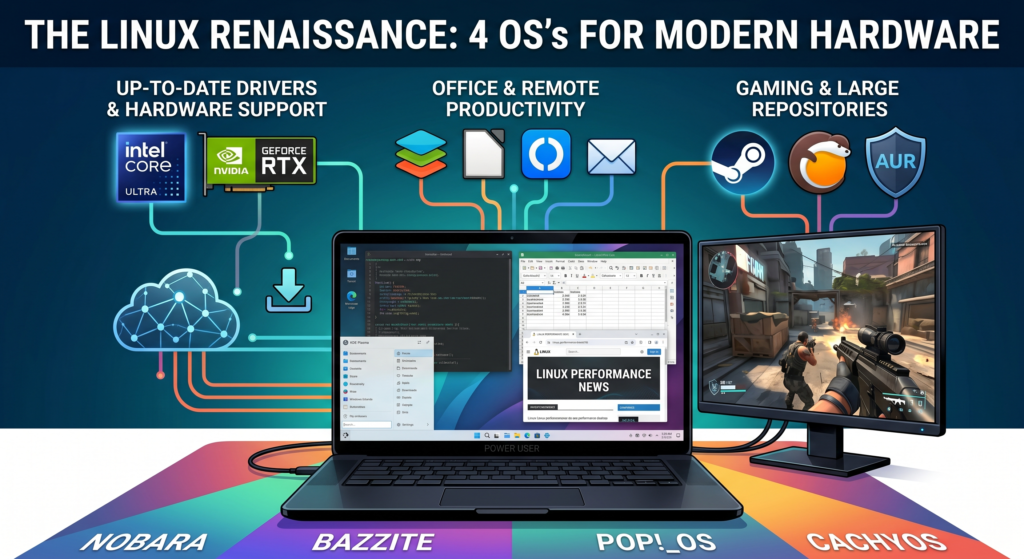
The Hardware Bottleneck: Why Modern is Mandatory
Running an Intel Core Ultra (like the 265K) or a Nvidia 50-series GPU creates a unique challenge. You need an operating system shipping with Kernel 6.11 (or newer) and Mesa 24.2+ just to ensure the thread scheduler knows how to handle Intel’s P-cores and E-cores efficiently, while properly rendering the Arc iGPU pipeline. Furthermore, handling high-resolution laptop displays plugged into external 1080p or 4K monitors requires flawless “Fractional Scaling”—a feature only recently perfected through the Wayland display protocol.
Here is how the four leading distributions tackle these modern demands.
1. Nobara Linux: The Gamer’s Safe Haven
Built on a Fedora foundation, Nobara is engineered by Thomas Crider (GloriousEggroll), the creator of the widely used Proton-GE compatibility layer.
- The Edge: It is designed to take the friction out of high-performance Linux. It auto-detects complex hardware configurations during installation, pulling in the exact proprietary Nvidia drivers needed for the GPU. Because Proton-GE is baked directly into the OS, massive Steam libraries and demanding Windows games run out-of-the-box with zero tweaking.
- The Workflow: Shipping with the Windows-like KDE Plasma desktop, it natively supports fractional scaling for multi-monitor setups and provides graphical sliders for battery charge thresholds. The Discover software center offers tens of thousands of easy-to-install Flatpak and RPM apps, making tools like RustDesk, OnlyOffice, or LibreOffice a single click away.
2. Bazzite: The Appliance Experience
Bazzite takes the concept of Valve’s SteamOS and applies it to desktop PCs and laptops. It utilizes an “immutable” atomic architecture, meaning the core system files are locked down and updated as a single, unbreakable image.
- The Edge: It provides the ultimate safety net. If a bleeding-edge update ever causes a conflict with your Nvidia card, rebooting automatically rolls the system back to the previous working state. It is incredibly stable, highly secure, and features a dedicated Nvidia ISO for immediate compatibility.
- The Workflow: Like Nobara, it defaults to the visually familiar KDE Plasma desktop, offering the exact same Wayland multi-monitor support and GUI-based hardware management. It restricts system-level tinkering, which can frustrate power users, but for those who want an appliance that “just works,” it is unmatched.
3. CachyOS: The Bleeding-Edge Performance King
For users who want to extract every ounce of processing power from their Intel Core Ultra architectures, CachyOS is the undisputed champion.
- The Edge: Based on Arch Linux, it utilizes a rolling-release model, meaning security patches and performance schedulers arrive the moment they are published. It features a brilliant “CachyOS Hello” hardware manager that installs highly optimized drivers with a single click.
- The Workflow: While it demands slightly more user oversight, it automates system snapshots (via BTRFS) to prevent catastrophic update failures. Furthermore, its Arch foundation grants access to the AUR (Arch User Repository), providing the single largest catalog of easily installable software on the planet.
4. Pop!_OS: The Debian Powerhouse
Pop!_OS stands out as the only Debian-based option on this list, making it incredibly attractive for users who are already comfortable with standard apt terminal commands.
- The Edge: Maintained by hardware manufacturer System76, it features best-in-class power management. It natively handles hybrid graphics, effortlessly shutting down the power-hungry Nvidia RTX during standard office work and relying on the Intel Arc iGPU to maximize battery life. It is also the most aggressive at patching in support for modern laptop features, like MIPI webcams.
- The Workflow: Its default COSMIC desktop is highly customizable, but for users seeking a strict Windows layout, installing KDE Plasma requires just one terminal command. Between its massive APT repositories and native Flatpak integration, finding productivity software and remote desktop tools is effortless.
Master Feature Comparison Matrix
| Feature | Nobara Linux | Bazzite | CachyOS | Pop!_OS |
| Core Architecture | Fedora-based | Fedora (Immutable/Atomic) | Arch-based (Rolling) | Ubuntu/Debian-based |
| Recommended Desktop Environment | KDE Plasma (Windows-like) | KDE Plasma (Windows-like) | KDE Plasma (Windows-like) | COSMIC (Or install KDE via apt) |
| Intel Arc iGPU (Core Ultra) | Excellent (Frequent Kernel updates) | Excellent (Fedora upstream) | Absolute Best (Day-one Kernel/Mesa) | Very Good (Custom System76 Kernels) |
| Nvidia RTX Support | Auto-detects & installs exact drivers | Dedicated Nvidia ISO provided | 1-Click optimized driver install | Dedicated Nvidia ISO provided |
| Hybrid Graphics Power Mgmt | Handled via EnvyControl GUI | Handled natively via ublue-os | Supergfxctl / Optimus Manager | Best-in-class (System76 native daemon) |
| Multi-Monitor / Font Scaling | Wayland (Flawless independent scaling) | Wayland (Flawless independent scaling) | Wayland (Flawless independent scaling) | Wayland (Native in COSMIC or KDE) |
| Battery Threshold Config | GUI slider (KDE native) | GUI slider (KDE native) | GUI slider (KDE native) | GUI slider (Native) |
| App Ecosystem (RustDesk, Office) | Discover Store (Flatpak + RPM) | Discover Store (Flatpak only) | Pacman + AUR (Largest total repo) | APT + Flatpak (Vast Debian repos) |
| System Safety Nets | BTRFS Snapshots (Pre-update backups) | Atomic Core (Reboot to previous image) | BTRFS Snapshots (Pre-update backups) | Recovery Partition (Factory reset) |
| Steam Gaming Support | Top Tier (Proton-GE pre-installed) | Top Tier (SteamOS Alignment) | Excellent | Good (Requires manual Proton tweaks) |
| Key User Complaints (2026) | Minor standard dependency bugs | Too restrictive; impossible to tweak core | Frequent updates require some oversight | COSMIC desktop growing pains/bugs |
| Terminal Syntax | dnf | rpm-ostree | pacman | apt (Classic Debian) |
2026 Community, Ecosystem & Gaming Compatibility Statistics
| Metric | Nobara Linux | Bazzite | CachyOS | Pop!_OS |
| Estimated Total Users | ~100k – 500k | ~500k – 1M | ~100k – 300k | ~3M – 5M+ |
| Estimated Monthly Growth | ~5,000 – 15,000 | ~10,000 – 20,000 | ~5,000 – 10,000 | ~50,000 – 100,000 (Surging) |
| GUI App Repository Size | ~66,000+ (RPM + Flatpak) | 3,240+ (Flatpaks Only via GUI) | 80,000+ (Pacman + AUR + Flatpak) | ~73,000+ (APT + Flatpak) |
| Steam Games Supported | ~106,000+ (Best out-of-box with built-in Proton-GE integration) | ~106,000+ (Identical to SteamOS native hardware parity) | ~106,000+ (Enhanced via custom kernel optimizations) | ~106,000+ (Requires manual Proton tweaks for certain stubborn titles) |
| Non-Steam Games (Epic, GOG, EA, etc.) | Massive Catalog (Heroic & Lutris are pre-configured to handle external libraries) | Massive Catalog (Heroic & Lutris are pre-installed directly into the core image) | Massive Catalog (All major launchers easily available via the AUR) | Massive Catalog (All major launchers easily available via Flatpak/APT) |
| Top User Compliment | Seamless integration of gaming tweaks and custom Proton layers for maximum compatibility out-of-the-box. | Rock-solid stability; an unbreakable core that serves as a perfect SteamOS clone. | Unmatched raw performance and immediate access to the absolute newest hardware drivers. | Best-in-class laptop power management and vast, familiar Debian package availability. |
| Top User Complaint | Occasional minor package dependency conflicts after executing major system updates. | Highly restrictive; the immutable system strictly blocks custom low-level tinkering. | Bleeding-edge updates can occasionally necessitate utilizing the automated rollback snapshots. | Early growing pains and visual bugs with the new 2026 COSMIC desktop rollout. |
Category Comparison
| Category | Winner | Why? |
| General Office | Pop!_OS | The COSMIC desktop environment (developed by System76) is built specifically for efficiency. Its auto-tiling features and intuitive “Workspaces” make managing multiple office documents and browser tabs much smoother than a traditional desktop layout. |
| Remote Desktop | Pop!_OS | Pop!_OS is designed as a “workstation first” OS. Its integration with remote access tools (like RustDesk or Remmina) is seamless, and its handling of network stacks for VPNs and remote sessions tends to be more stable than the bleeding-edge updates found in Nobara. |
| Arc Graphics | Nobara | Intel Arc relies heavily on the latest Mesa drivers and Linux Kernel versions. Because Nobara is based on Fedora, it generally receives these updates weeks (or even months) before Pop!_OS, ensuring the Arc iGPU/dGPU performs at its maximum potential. |
| Design | Pop!_OS | For creative work (GIMP, Inkscape, Blender), the COSMIC workflow minimizes distractions. Pop!_OS also has excellent support for high-resolution displays and fractional scaling, which is critical for precision design work on modern 4K monitors. |
| NVIDIA | Pop!_OS | Pop!_OS remains the gold standard for NVIDIA users thanks to its dedicated ISO. Crucially, its System76 Power daemon offers superior hybrid graphics management, allowing you to switch between “Integrated,” “Hybrid,” and “NVIDIA” modes with a single click—essential for saving battery or maximizing power. |
| Gaming | Nobara | Nobara is the undisputed king here. It includes a custom-patched kernel (with FSYNC and other optimizations) and has Proton-GE pre-installed. It handles complex Steam libraries and Windows-exclusive games with significantly less manual configuration than Pop!_OS. |
Some people may mention SteamOS which has revolutionized Linux gaming on handhelds. However it is not suitable for many reasons, and you should rather consider Bazzite for this use case. Unlike the official SteamOS, which is strictly optimized for “AMD hardware”, Bazzite provides a dedicated Nvidia ISO with pre-configured drivers for the RTX, ensuring a seamless “out-of-the-box” experience for Blackwell-series GPUs. It bridges the gap between a gaming console and a professional office machine, offering robust support for mixed-refresh-rate multi-monitor setups and native battery threshold management—essential features that SteamOS’s handheld-first architecture simply wasn’t designed to prioritize.
The Verdict
The era of compromising hardware performance for Linux stability is over. If you prioritize maximum game compatibility and ease of use, Nobara is the top tier. If you want an unbreakable system that mimics a console, choose Bazzite. For power users chasing the absolute lowest latency and newest kernels, CachyOS delivers. Finally, if you need superior hybrid-battery management and prefer Debian-based architecture, Pop!_OS remains a dominant force.