Next Gen Low Cost Wildcat Laptops 2026
IT Pro Expert · Hardware Deployment Audit Wildcat Lake vsthe MacBook Neo The sub-£600 laptop war finally has real contenders. But before it goes on a deployment roster, every machine…
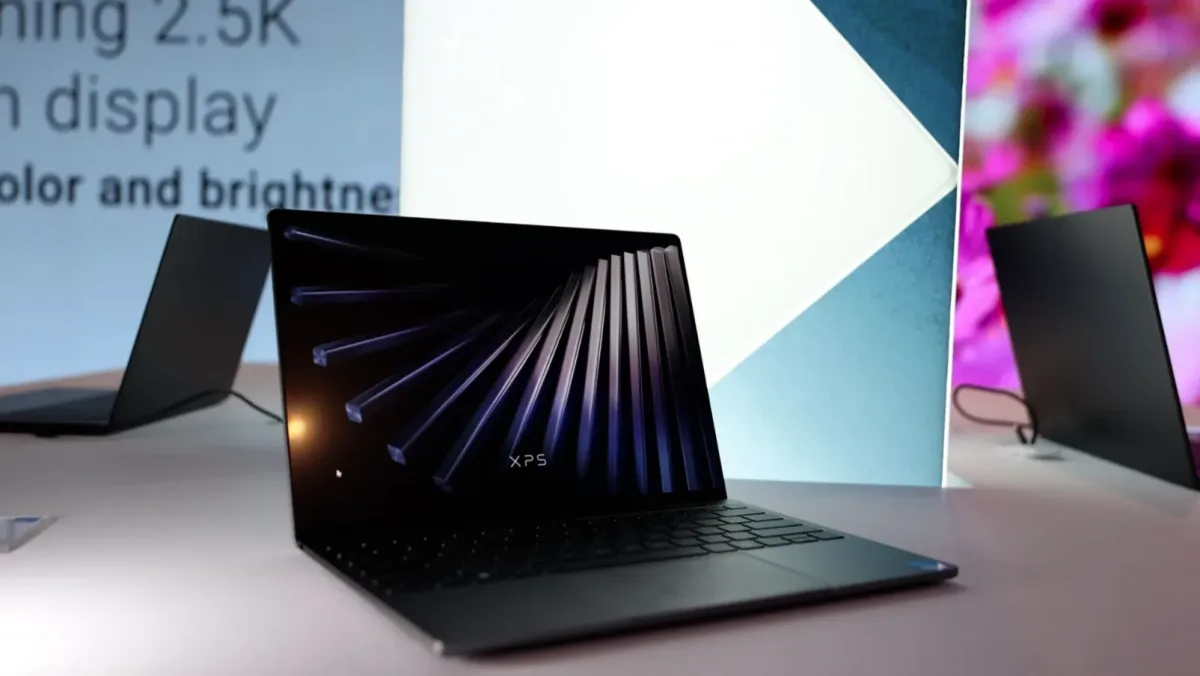
The sub-£600 laptop war finally has real contenders. But before a machine goes on a deployment roster it gets checked: is it actually Intel Wildcat Lake, and when can you buy one in the UK?
A price bracket that used to be a wasteland
For years the sub-£600 laptop meant sluggish silicon, dim 720p webcams and plastic that flexed if you looked at it. In 2026 that changed — violently.
Apple's aggressive move downmarket with the MacBook Neo forced Intel's hand. The answer is the Core Series 3 platform, codenamed Wildcat Lake — the value-tier sibling of Panther Lake, built on Intel's 18A node and scaled down to a single small compute tile. Suddenly £550 buys a metal chassis, a genuinely good screen and all-day battery.
This is an audit, not a beauty contest
IT buyers don't shop like consumers. We care about RAM headroom, OS flexibility, and whether the thing will still be supportable in three years — not the colour of the lid.
The beautiful bottleneck, and the value play
MacBook Neo
Apple · Arm silicon · on sale in the UK since 11 March 2026. An undeniable feat of consumer engineering. At £599 (£499 education) it drops the A18 Pro — the same chip as the iPhone 16 Pro — into a 13-inch fanless aluminium body with a 2408×1506 Liquid Retina display and up to 16 hours of battery.
The reality check: Apple hit that price by hard-locking the base model to 8GB unified memory and 256GB storage. The Neo swaps to SSD gracefully, but sustained heavy workloads will thrash that small drive. And macOS means native Windows or Linux imaging is off the table for a standard estate.
Demand has also run ahead of supply — shipping estimates have slipped to two or three weeks at points since launch.
Wildcat Lake (Core Series 3)
Intel · x86 · rolling out worldwide through 2026. Six consumer SKUs, all a 6-core 2P+4LPE layout with no Hyper-Threading, 15W/35W power, single-channel memory and Xe3 graphics. The common shipping part is the Core 5 320 — not the entry Core 3 305 the benchmarks get quoted from.
The reality check: the real win is memory. Intel's partners standardised on 16GB RAM and 512GB storage around the £500–£600 mark, which transforms what a budget laptop can do.
Because these are standard x86 machines, wiping Windows for Nobara, Pop!_OS or Debian is plug-and-play — Wildcat Lake support is already upstream in the Linux kernel and Mesa.
Does the cheap Intel chip really beat the A18 Pro?
On the numbers that have surfaced so far: yes, in multi-threaded work — though with a large asterisk. Here is the entry-level Wildcat part against the Neo's silicon on PassMark CPU Mark.
The first real reviews tell a calmer story
Now that reviews of shipping machines have appeared — Notebookcheck's Lenovo IdeaPad Slim 3 (Core 7 350) and hands-on testing of HP's OmniBook 5 among them — the picture is more measured than the PassMark headline. In everyday use Wildcat Lake behaves like a modern low-power U-series chip, roughly on par with a three-year-old Core i7-1355U: responsive and quick for browsing, Office and media, but no leap.
The multi-threaded win has a boundary too. It holds against the Neo's own six-core A18 Pro, but against the wider laptop market Wildcat's two P-cores simply run out of threads and trail Lunar Lake and Ryzen machines under full load. On efficiency Apple still leads — reviewers measured the A18 Pro drawing less power for the same sustained work, and even Intel's own Panther Lake is more efficient than Wildcat. The confirmed upside: these run genuinely cool and quiet.
And "budget" isn't guaranteed. The IdeaPad Slim 3's mid-range Core 7 350 configuration landed near $1,000, and Dell's UK and European XPS pricing sits well above the $599 headline. The cheapest configurations — the Chuwi UniBook and Dell's base model — still ship just 8GB, and on Windows 11 (Microsoft now suggests 32GB) that squeezes harder than the Neo's 8GB does on macOS.
Capable, not revolutionary — and only when specced with 16GB.
Which machines are actually Wildcat Lake?
The same field as the original comparison, now with the two columns that matter for procurement. Silicon is the actual shipping SKU where known; the verdict flags whether the machine in the table is genuinely a Core Series 3 device.
| Model | Silicon | Wildcat? | Display | RAM / SSD | UK availability | Est. UK price |
|---|---|---|---|---|---|---|
| Chuwi UniBookSFA · budget entry | Core 3 304 (5-core) | Wildcat | 1920×1200 IPS matte | 8GB · 256GB | Import only (from $449)Grey import | ~£430via import + VAT |
| Lenovo Lecoo Air 14Project Firefly launch | Core 5 315 | Wildcat | 1920×1200 60Hz IPS | 12GB · 512GB | China only — no UK planNot sold in UK | n/a~£350 in China |
| Acer Aspire Go 14Intel launch partner | Core 5 320 | Wildcat | 1920×1200 IPS matte | 16GB · 512GB | Summer 2026 (est.)~Q3 2026 | ~£480expected |
| ASUS Vivobook 14see note ▸ | Core 5 320 only if "14SE" | Verify SKU | 1920×1200 IPS | 16GB · 512GB | Wildcat variant ~Q2–Q3Standard "14" = Core Ultra | ~£520Wildcat SKU |
| Acer Swift Air 14SFA14-I31 | Core Series 3 | Wildcat | 1920×1200 IPS* not OLED 2880×1800 |
16GB · 512GB | EMEA — July 2026Dated: Jul 2026 | ~£550expected |
| Honor MagicBook X142026 / X14 Combat Ed. | Core 5 320 | Wildcat | 1920×1200 IPS matte | 16GB · 512GB | China now; UK TBCUK likely 2H 2026 | ~£550~$650 in China |
| HP OmniBook 5 14see note ▸ | Core 7 350 / 5 320 | Verify SKU | 1920×1200 IPS | 16GB · 512GB | 2H 2026 (est.)"OmniBook 5" also = Arm/AMD | ~£580Wildcat SKU |
| ASUS Vivobook S14S3407AA | Core Ultra 7 355 | Not Wildcat | OLED — Panther Lake | up to 32GB · 1TB | Copilot+ PC, in UK nowDifferent class of machine | ~£900–1,100not a £599 rival |
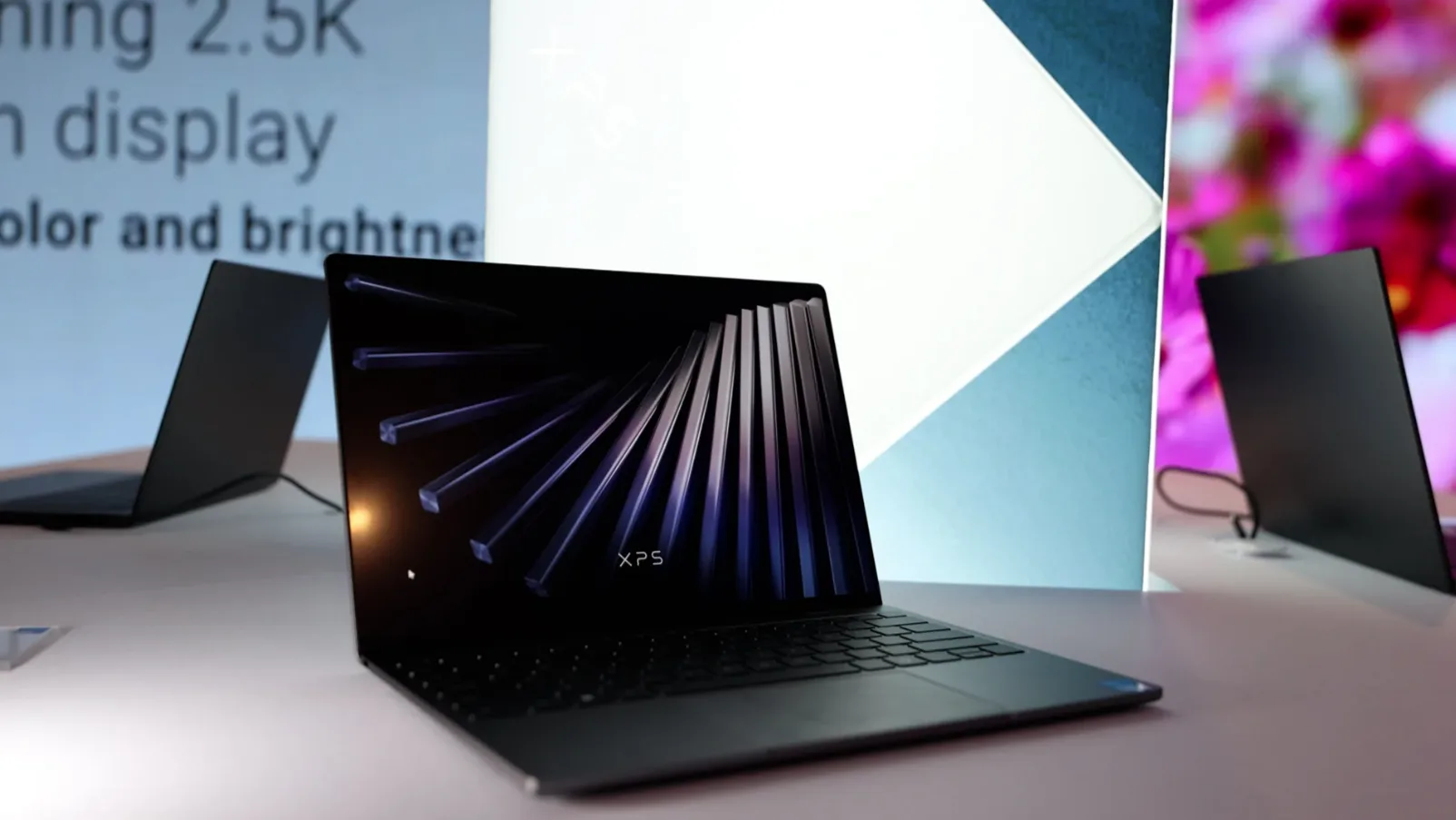
| Dell XPS 13 (Wildcat)DX13260 | Core 5 320 | Wildcat | 2560×1600 120Hz anti-glare touch | 8–16GB · 512GB | On sale — Dell.co.ukAvailable now | £699 studentstandard config far higher |
| Apple MacBook Neothe target | Apple A18 Pro | Apple silicon | 2408×1506 60Hz, anti-reflective | 8GB · 256GB | On sale since 11 Mar 2026Available now | £599£499 education |
* The Swift Air 14 is confirmed Wildcat Lake by Acer, but the 2880×1800 OLED panel in the original table belongs to the pricier Swift Go / Swift Edge (Panther Lake) lines; the Air ships with a standard IPS panel. Silicon shown is the actual shipping SKU where an OEM has confirmed it — most partners ship the mid-range Core 5 320. Prices are indicative and move with the ongoing memory-price surge; treat them as ballpark, not quotes.
None of the real Wildcat machines are Copilot+ PCs
This matters if your users expect the Windows AI features.
Every Wildcat Lake SKU tops out around a 16–17 TOPS NPU — below Microsoft's 40-TOPS threshold for Copilot+ certification. In practice that means no on-device Recall, no advanced Studio Effects and no live on-device translation on any of these budget machines, regardless of brand.
It is the neat inversion of the whole table: the one laptop that does qualify as a Copilot+ PC — the ASUS Vivobook S14 with its Core Ultra 7 355 at roughly 49 TOPS — is precisely the machine that isn't Wildcat Lake and isn't a £599 device. For most SME deployments this won't matter, but if AI features are on the requirements list, budget Wildcat is the wrong tier.
When can you actually buy one here?
The launch is staggered and China-first for several models. Grouped by how you would get one in the UK today:
On sale in the UK now
- Apple MacBook Neo£599 · Currys/Apple
- Dell XPS 13 (Wildcat)£699 student · Dell.co.uk
Firm UK/EMEA date
- Acer Swift Air 14EMEA · July 2026
Expected — no firm UK date
- Acer Aspire Go 14~Q3 2026
- ASUS Vivobook 14SE~Q2–Q3 2026
- HP OmniBook (Wildcat SKU)~2H 2026
- Honor MagicBook X14~2H 2026
- Samsung Galaxy Book 6 / MSI Modern2026
Import-only / not sold in UK
- Chuwi UniBookGrey import (~£430)
- Lenovo Lecoo Air 14China only
Dell has confirmed a Panther Lake (Core Ultra 7 355) XPS 13 landing later in summer 2026 for buyers who want the Copilot+ tier. Lenovo's Lecoo line may reappear internationally under IdeaPad branding, but nothing is confirmed for the UK.
What actually belongs on the roster
If the job is pure web, email and light apps and the user lives in the Apple ecosystem, the MacBook Neo still wins on battery and feel — provided 8GB and 256GB never become a problem, which for a power user they will.
For everyone who needs software breadth, RAM headroom and the freedom to image Windows or Linux, the genuine Wildcat Lake machines are the strongest budget workstations in a decade. The doubling of RAM and storage versus the Neo is the whole argument.
Buy with confidence today
Dell XPS 13 (Wildcat) — the only confirmed Wildcat machine actually on UK shelves, with the best display of the group. Watch the price beyond the student configuration.
Worth the wait
Acer Swift Air 14, dated for July, and the incoming Aspire Go 14 and Honor MagicBook X14 for a true sub-£550 x86 estate.
Speccing a laptop refresh?
Talk to us before the purchase order goes out — model numbers and processor SKUs are where budget estates go wrong.
Sources and caveats. Verified against Intel's Core Series 3 launch materials, Dell, Acer, ASUS, Lenovo, Honor and HP announcements, Apple's MacBook Neo listing, PassMark submissions, and the first independent laptop reviews (Notebookcheck, PCWorld and others), current to July 2026. Synthetic figures derive from single early submissions and carry a wide margin of error, so real-world review data is weighted more heavily here.
On the horizon. Intel is reportedly planning an eight-core Wildcat Lake refresh for 2027, which would address the platform's main real-world limitation — thread count under sustained multi-core load. Worth factoring into any three-year refresh cycle.
Pricing and availability shift constantly during the ongoing memory-price surge and staggered regional launches, so figures here are indicative, not quotes. Confirm the exact model number and processor SKU with the retailer before purchase, especially for ASUS Vivobook and HP OmniBook, where one product name spans multiple chip families.
IT Pro Expert · Hardware Deployment Audit · Independent editorial — not sponsored by Intel, Apple or any OEM.