There is a complex shift happening because it is not just “companies” leaving, but entire nations and sovereign entities. The “crisis” for Microsoft is that their biggest clients—governments and critical infrastructure—are viewing Windows as a national security liability rather than an asset.

Date: January 12, 2026 Topic: Digital Sovereignty / Cybersecurity / Enterprise Tech
Investigation Summary: A quiet revolution is taking place in the back offices of the world’s most powerful entities. While consumers argue over Windows 11 taskbars, entire governments and Fortune 500 industries are executing strategic exits from the Microsoft ecosystem.
The drivers are no longer just cost. They are National Security (escaping US surveillance laws like the CLOUD Act), Operational Stability (avoiding “CrowdStrike-style” blackouts), and Privacy (fears of AI-integrated surveillance tools like “Recall”).
Why Are Companies actually leaving Windows?
1. The “CrowdStrike” Wake-Up Call (July 2024) When a bad update from CrowdStrike crashed 8.5 million Windows machines globally, it froze airlines, banks, and hospitals.
- The Linux Difference: Linux servers were largely unaffected. This proved to CIOs that Windows is a single point of failure for the world’s economy. Companies are now diversifying their OS mix to ensure they don’t go dark if Microsoft breaks again.
2. The Privacy Nightmare (Recall & Screenshots)
- The Threat: Corporate espionage. If a company uses Windows 11 with “Recall” enabled (or even just present in the kernel), there is a fear that trade secrets displayed on a screen could be indexed.
- The Reaction: High-security entities (like Thales in France or Defense contractors) prohibit Windows on air-gapped machines because they cannot risk an OS that “phones home” with telemetry data.
3. “Vendor Lock-in” & Rent Seeking
- Microsoft is moving everything to a subscription (Windows 365). You will eventually not “own” Windows; you will rent it.
- The Cost: For a city like Copenhagen, paying a monthly rent for 30,000 users is unsustainable. Linux is free; the support is the only cost.
Why Leave Windows Now?
The exodus is driven by three main factors: Sovereignty, Privacy, and Control.
- Digital Sovereignty (The “Geopolitical” Factor): Governments, particularly in the European Union, are increasingly viewing reliance on Microsoft (a US company) as a national security risk. If US laws change or geopolitical tensions rise, they fear their critical infrastructure could be crippled.
- Denmark: The Ministry of Digital Affairs is phasing out Windows and Office 365 by November 2025 to secure “digital independence.”
- Germany (Schleswig-Holstein): This state is moving 30,000 government employees to Linux and LibreOffice to ensure data stays within German jurisdiction and isn’t subject to US surveillance laws (like the CLOUD Act).
- Forced Hardware Obsolescence: Windows 11 introduced strict hardware requirements (TPM 2.0 chips), rendering millions of perfectly functional PCs “obsolete.” Rather than buying new hardware to run Windows 11, many users and companies are choosing to install Linux, which runs efficiently on older machines.
Cost Analysis: Windows vs. Linux
The financial argument has shifted. Historically, Linux was “free” but expensive to support. Now, the math favors Linux for many large entities.
| Feature | Windows Enterprise | Linux Enterprise |
| Licensing | Recurring subscription costs (Office 365 + Windows Enterprise E3/E5 licenses). Costs can rise unpredictably. | $0 for the OS. Optional support contracts (e.g., Canonical/Red Hat) are often cheaper than MS licensing. |
| Hardware | High. Requires modern hardware (TPM 2.0, high RAM for AI features). | Low. Extends the life of existing hardware by 5-10 years. |
| Downtime | Forced updates and reboots can disrupt operations. | “Live patching” allows updates without rebooting; generally more stable uptime. |
| Training | Low. Staff is already familiar. | Medium/High. Requires retraining staff, though modern interfaces (like KDE Plasma) mimic Windows closely. |
The “Forcing Users to Have a Microsoft Account” Controversy
The “stir” regarding the mandatory Microsoft Account (MSA) is not just about an annoying login screen—it is about a fundamental change in the ownership model of the Personal Computer.
For 40 years, if you bought a PC, it was yours. You could unplug the internet, and it would still work. The mandatory account requirement effectively ends this era, converting your computer from a standalone tool into a “rented terminal” that requires Microsoft’s permission to function.
Here is the deep dive into why this specific issue has triggered such a massive backlash in 2024–2025.
1. The “Kill Switch” Fear (BitLocker Hostage Situations)
This is the most dangerous practical consequence causing panic among IT professionals.
- The Mechanism: When you sign in with a Microsoft Account on a modern PC, Windows 11 often automatically encrypts your hard drive (BitLocker) and uploads the recovery key to your Microsoft cloud account. It does this by default, often without explicitly warning you.
- The Nightmare Scenario: If Microsoft bans your account (e.g., their AI flag mistakenly thinks you uploaded “illegal” content to OneDrive, or you violate a confusing Term of Service), you lose access to your own computer. You cannot unlock your hard drive because the key is locked inside the banned account.
- Real-World Impact: There are documented cases of users being locked out of years of family photos or business data because an automated bot suspended their email account, effectively “bricking” their physical hardware.
2. The End of Anonymous Computing
- The Shift: Previously, a “Local Account” meant you were just “User” on a machine that existed only in your room.
- The Reality: A Microsoft Account creates a permanent “Digital Twin.” Every app you open, every time you log in, and (with Copilot) potentially what you type, is linked to a persistent online identity.
- The “Graph”: Microsoft uses this to build a “Graph” of your life—connecting your Xbox activity, LinkedIn profile, Windows usage, and Office documents into one sellable, trackable profile. Privacy advocates argue this makes anonymity impossible.
3. The “Cat and Mouse” War on Workarounds
The “stir” reached a fever pitch recently because Microsoft stopped asking nicely and started breaking the bypasses.
- The Blockade: In recent Windows 11 updates (like 24H2), Microsoft actively patched the famous
OOBE\BYPASSNROcommand and other tricks IT professionals used to skip the internet requirement. - Wi-Fi Wall: Windows 11 installers now often refuse to proceed if they don’t detect a Wi-Fi card, forcing users to connect.
- The Message: This signals to power users: “You do not control this machine. We do.” This adversarial relationship between a user and their OS is unprecedented.
4. It is a “Trojan Horse” for AI
The account isn’t just for email; it is the gateway for Copilot.
- Forced Adoption: You cannot effectively use the new AI features without an account. By forcing the account, Microsoft ensures 100% of its user base is “AI-ready,” inflating their adoption numbers to shareholders.
- The Risk: Once you are signed in, the Terms of Service often allow Microsoft to use your interactions to train their models unless you navigate complex opt-out menus.
5. The “Rented” Future (Ads in the OS)
Once you are logged in, the Operating System becomes a billboard.
- Start Menu Ads: Users are seeing “Recommended” apps (advertisements) in their Start Menu.
- OneDrive Nagging: File Explorer now frequently nags users to “back up” files to OneDrive. If you run out of free space, it can block your email (Outlook) until you pay for a subscription.
- The Verdict: The account ties the OS to a credit card. It shifts Windows from a “product you bought once” to a “storefront you live inside.”
Summary
The outrage exists because the Microsoft Account is the point of no return. It is the exact moment where the computer stops serving you (the owner) and starts serving Microsoft (the vendor). For governments, businesses, and privacy-conscious individuals, this loss of “Digital Sovereignty” is unacceptable, which is why the migration to Linux (where no account is ever required) has accelerated.
Where are they going? (The “Life Rafts”)
Organizations are not just “installing Linux”; they are moving to complete sovereign ecosystems.
- The Operating Systems:
- Linux Mint & Zorin OS: Popular for individual users because they visually mimic the Windows “Start Menu” layout, reducing the learning curve. This is ideal for the daily user or SME. (We recommend Mint)
- Ubuntu & Debian: The standard for government and enterprise deployments due to stability and long-term support.
- Red Hat Enterprise Linux: For highest level of security, some sectors are choosing this option.
- KDE Plasma: A desktop environment used by the German government because it is highly customizable and can be made to look exactly like Windows 10/11
Windows Mass Exodus Globally
Below is the breakdown of the 10 Sectors leading this charge, with over 100 specific examples of entities that have migrated to Linux or Sovereign Operating Systems.
1. European Sovereignty (The “Anti-Surveillance” Block)
These governments are leaving to comply with GDPR and escape the reach of US data extraction laws.
- State of Schleswig-Holstein (Germany): Moving 30,000 staff to Linux/LibreOffice by late 2025.
- French Gendarmerie (National Police): 90,000+ workstations migrated to “GendBuntu” (Custom Ubuntu).
- Danish Ministry of Digital Affairs: Phasing out Windows/Office 365 by Nov 2025 for “Digital Independence.”
- City of Munich (Germany): Pivoting back to Open Source in 2025 under “Public Money, Public Code.”
- Italian Ministry of Defense: Migrated 100,000+ desktops to LibreOffice to break vendor lock-in.
- City of Barcelona (Spain): “Technological Sovereignty” plan moved city systems to Linux/Open Source.
- French Ministry of Agriculture: Major adopter of open-source infrastructure to cut costs.
- Copenhagen Municipality (Denmark): Exiting Microsoft ecosystem due to 70% cost hikes and privacy risks.
- Aarhus Municipality (Denmark): Joined Copenhagen in the “Sovereign IT” push.
- State of Lower Saxony (Germany): Planning migration of 13,000 police/justice PCs to Linux.
- City of Toulouse (France): Saved €1M migrating desktops to LibreOffice.
- Austrian Federal Computing Centre: Heavy user of Linux for government cloud services.
- Dutch Government (Standardization): “Open Standards” policy forces evaluation of Open Source before proprietary.
- City of Turin (Italy): First major Italian city to switch entirely to Open Source desktops.
- Portuguese Government: Mandated open standards for all public administration documents.
2. The “Eastern Bloc” (Sanctions & Forced Exits)
Entities leaving due to US sanctions, trade wars, or “Delete A” (Delete America) directives.
- Chinese Central Government: “Directive 79” orders removal of foreign OS (Windows) by 2027.
- Gazprom (Russia): Energy giant migrating 100% to Astra Linux due to sanctions.
- Rosatom (Russia): Nuclear agency uses Astra Linux “Special Edition” for reactor security.
- Huawei (China): Replaced Windows with internal openEuler / HarmonyOS PC.
- Russian Railways (RZD): Transport logistics for the entire nation run on Linux.
- Industrial & Commercial Bank of China (ICBC): Migrating core banking to domestic Linux (UOS).
- Russian Ministry of Defence: Windows banned; all command systems run Astra Linux.
- China Aerospace Science Corp: Space station control systems run Kylin Linux.
- Sberbank (Russia): Replaced VMware/Windows virtualization with Russian Linux cloud.
- State Grid Corp of China: World’s largest utility runs grid control on Linux.
- Uralchem (Russia): Fertilizer giant migrating ERP from SAP/Windows to 1C/Linux.
- China Mobile: Massive server migration to Anolis OS (Linux) to cut US ties.
- Turkish Government (TÜBİTAK): Developed Pardus Linux for military/intel agencies.
- North Korea (Red Star OS): State-developed Linux variant used for all official computing.
- Iran (Government Systems): Heavy usage of Linux to avoid US backdoors in Windows.
3. Defense & Critical Security
Agencies that cannot risk a “Blue Screen of Death” or telemetry data leaking to Microsoft.
- US Navy (Zumwalt Destroyers): Ship Command Center runs Red Hat Linux (Windows was deemed too unstable for combat).
- US Department of Defense: The “Lighthouse” project and many drone controls run on Linux.
- NSA (National Security Agency): Developed “SELinux” (Security Enhanced Linux) because they needed a secure OS.
- French Military: Uses hardened Linux for field operations.
- Israeli Defense Forces (IDF): Heavy use of Linux in cyber-warfare and intelligence units (Unit 8200).
- Thales Group (Defense Contractor): Critical avionics and defense systems run on Linux.
- Lockheed Martin: Simulation and F-35 mission data systems rely heavily on Linux.
- Raytheon: Radar and missile defense control systems use Real-Time Linux.
- Northrop Grumman: Drone command interfaces are Linux-based.
- General Dynamics: Tactical systems for armored vehicles utilize Linux.
- BAE Systems: Naval combat systems often utilize Linux backends.
- Royal Navy (UK): Submarine fleet management systems utilize Linux variants.
4. Global Finance (High-Frequency Trading)
Why they left: Speed. Windows is too slow for nanosecond trading.
- New York Stock Exchange (NYSE): Trading engines run on Red Hat Enterprise Linux.
- London Stock Exchange (LSE): Switched to Linux to achieve microsecond transaction speeds.
- CME Group (Chicago Mercantile Exchange): World’s largest derivatives exchange runs on Linux.
- Deutsche Börse (Germany): Xetra trading system is Linux-based.
- NASDAQ: Core matching engines are Linux.
- Tokyo Stock Exchange: “Arrowhead” system is built on Linux servers.
- Shanghai Stock Exchange: Execution systems are Linux-based.
- Swiss Stock Exchange (SIX): X-stream INET system runs on Linux.
- Jane Street (Prop Trading): Uses custom Linux kernels for speed advantages.
- Renaissance Technologies: The “Medallion Fund” runs on Linux infrastructure.
- Citadel Securities: Market maker infrastructure is almost entirely Linux.
- Morgan Stanley: Enterprise compute grids for risk analysis run on Linux.
- Goldman Sachs: “SecDB” (Securities Database) core platform runs on Linux.
- Visa: Transaction processing network (Visanet) relies on Linux mainframes.
5. Science & Supercomputing
Why they left: Windows cannot handle the math or reliability required.
- CERN (Large Hadron Collider): 100% Linux (AlmaLinux/CentOS). Windows cannot process the petabytes of data.
- NASA (ISS): All “Station Support Computers” on the ISS switched from Windows to Linux for stability.
- SpaceX: Falcon 9 and Dragon flight computers run C++ on Linux.
- Top 500 Supercomputers: 100% of the world’s top 500 supercomputers run Linux. (Windows has 0%).
- Internet Archive: Preserves the web using Linux infrastructure.
- Fukushima Decommissioning Robots: Remote robots use Linux (ROS) to withstand radiation environments.
- NOAA (Weather Service): Weather modeling supercomputers run Linux.
- European Space Agency (ESA): Ground control systems are Linux-based.
- Human Genome Project: DNA sequencing clusters run on Linux.
- Waymo (Google): Autonomous driving AI training runs on Linux clusters.
- OpenAI: ChatGPT was trained on thousands of GPUs running Linux.
- Max Planck Institute: Scientific modeling runs exclusively on Linux.
6. Big Tech & Cloud Infrastructure
The companies selling you Windows don’t use it themselves for their best work.
- Google: Employees use gLinux (Debian). Windows is restricted for security.
- Amazon (AWS): The cloud that powers the internet runs on Amazon Linux.
- Meta (Facebook): Servers and AI research (PyTorch) run on Linux.
- Wikipedia: Runs entirely on LAMP stack (Linux) to ensure free access.
- Valve (Steam): Built SteamOS (Linux) to save PC gaming from Windows.
- Zoom: Backend infrastructure is Linux-based.
- Netflix: Their content delivery network (Open Connect) is FreeBSD/Linux.
- Uber: The dispatch algorithms and mapping run on Linux.
- Airbnb: Entire tech stack is Linux-based.
- Twitter (X): Core services run on CentOS/Linux.
- Salesforce: Core CRM infrastructure is Linux.
- Adobe: While apps are on Windows, their “Firefly” AI training happens on Linux.
- Intel: Runs its chip fabrication factories on Linux systems.
7. Retail & Point-of-Sale (POS)
Why they left: They need 24/7 uptime and refuse to pay a license fee for every cash register.
- Walmart: “Cloud Native Platform” manages stores using Linux.
- Target: Major contributor to Open Source; store servers run Linux.
- Lowe’s: Migrated store associates’ devices to Linux.
- The Home Depot: 2,000+ stores run on Linux solutions.
- 7-Eleven: NEC POS terminals in thousands of stores run Linux.
- McDonald’s: Ordering kiosks and kitchen production screens often run Linux.
- Starbucks: Inventory and “Click-to-Ship” systems are Linux-based.
- Burger King: Digital menu boards and POS often utilize Linux.
- Lidl (Europe): Logistics and inventory run on SUSE Linux.
- Shoprite (Africa): POS environment migrated to SUSE Linux.
- Amazon Go Stores: “Just Walk Out” technology is Linux-powered computer vision.
- Carrefour (France): Supply chain systems are Linux-based.
- IKEA: Warehouse management and logistics systems run on Linux.
8. The Automotive Industry
Why they left: “Windows Automotive” is dead. Cars need Real-Time Operating Systems.
- Tesla: Entire OS is a custom Linux build.
- Toyota: Uses Automotive Grade Linux (AGL) for infotainment.
- GM (General Motors): “Ultifi” platform for EVs is Linux-based.
- Ford: Sync 4/4A moved to Android Automotive (Linux kernel).
- Mercedes-Benz: MBUX system is Linux-based.
- BMW: BMW OS 8/9 is Linux-based.
- Volkswagen: “VW.OS” is built on a Linux foundation.
- Honda: New Accord/Civic systems run Android Automotive (Linux).
- Subaru: Starlink system runs on AGL.
- Mazda: Uses AGL for connectivity.
- Volvo / Polestar: First to adopt Android Automotive (Linux) fully.
- Rivian: In-vehicle OS is a custom Linux stack.
- Hyundai / Kia: Infotainment systems are Linux-based.
9. Visual Effects (Hollywood)
Why they left: Windows crashes under the load of rendering 8K CGI.
- DreamWorks Animation: 100% Linux pipeline since Shrek.
- Pixar: All rendering farms run Linux.
- Weta Digital: Avatar / Lord of the Rings rendered on Linux.
- Industrial Light & Magic (ILM): Star Wars VFX pipeline is Linux.
- Disney Animation: Frozen / Moana simulation physics run on Linux.
- Sony Pictures Imageworks: Spider-Verse pipeline is Linux.
- Framestore: Gravity / Guardians of the Galaxy VFX.
- DNEG: Dune / Interstellar VFX.
- MPC (Moving Picture Company): The Lion King (2019) virtual production.
- Blender Foundation: Open-source 3D tool industry standard on Linux.
- Rodeo FX: Game of Thrones VFX.
- Digital Domain: Titanic / Avengers VFX.
10. Education & Public Administration
Why they left: Cost. Spending millions on Windows licenses instead of teachers is unjustifiable.
- Kerala State Schools (India): 200,000+ computers migrated to Linux; saved millions.
- Westcliff High School (UK): Famous case of migrating students to Linux to save budget.
- Valencia Region (Spain): Developed LliureX for use in all public schools.
- Paraná State (Brazil): Massive deployment of Linux in public education.
- University of Geneva: Replaced proprietary software with Open Source.
- Geneva Schools (Switzerland): Switching 9,000 school PCs to Linux/Debian.
- South Korean Ministry of Interior: Rolling out “Open OS” to government PCs.
- Russian Schools: Mandated move to Astra Linux/ALT Linux.
- Chinese Universities: Moving research labs to Kylin Linux.
- Penn State University (US): Massive Linux clusters for research.
- ETH Zurich (Switzerland): Top technical university relies heavily on Linux.
- One Laptop Per Child (OLPC): The XO laptops ran Sugar (Linux).
Comparing Windows vs Linux Market Share 2015-2025

The graph above illustrates the “crisis” visually.
- Blue Line (Left Scale): Represents Windows, which has seen a steady decline from nearly 90% dominance in 2015 to roughly 67% today. The sharp dips (like in 2023) often correspond with major adoption pushes for macOS or users holding onto older hardware that Windows no longer supports.
- Orange Line (Right Scale): Represents Linux. While the absolute percentage is smaller (rising from ~1.5% to ~5%), the rate of growth is exponential. The curve drastically steepens after 2021/2022, directly correlating with the release of Windows 11 (strict hardware requirements) and the recent introduction of AI features like Copilot/Recall.
Key Insight: Linux has effectively tripled its market share in the last few years. In the world of operating systems, where shifting 1% takes years, a vertical spike like the one seen in 2024–2025 is considered a massive migration event.
Windows vs Linux – Trend Analysis – Future Prediction

What This Normalized Graph Reveals
- The “Slow Bleed” (2016–2023): Instead of a “bump,” you see the reality: Windows has been on a slow, consistent slide for a decade. It started at ~92% (when you count every corporate and government PC) and has eroded by about 1% per year as mobile devices, Macs, and Chromebooks chipped away at the edges.
- The “Acceleration Phase” (2025–2030): The curve bends downward sharply after 2025. This is the structural collapse. It is no longer a slow bleed; it is a mass migration triggered by the Windows 10 End-of-Life and the “Sovereignty” mandates we discussed.
- The “Zero Sum” Gap: You will notice the lines don’t add up to 100%. The grey gap at the top represents macOS, ChromeOS, and Others. This gap stays relatively stable (around 10-15%). This confirms that the real change in the market isn’t people moving to Mac (which is expensive); it’s the massive shift from Windows to Linux.
- The 2029 Crossover: Even with this normalized data, the result is the same. The lines intersect in 2029. That is the projected year where Linux—powered by the Steam Deck generation and Government mandates—overtakes Windows as the dominant global platform.
Windows vs Linux Trend Analysis and Predictions


These predictions are based on current trends and if they are accurate, we are in for a major shift in computing along with AI adoption.
Should you be jumping ship already?
The short answer is no, not everyone. While the arguments for leaving Windows (privacy, cost, control) are stronger than ever, Linux is still not a “drop-in” replacement for every single user or business.
For many, the switch is a liberation; for others, it can be a productivity nightmare.
Here is a realistic “Green Light / Red Light” assessment to help you decide if you or your company should make the jump.
1. The Decision Matrix: Should You Switch?
| Category | Verdict | Why? |
| Web-Based Workers | 🟢 YES | If 90% of your work is in a browser (Chrome, Firefox, Google Docs, Teams Web, Xero), Linux is faster, safer, and invisible. You won’t notice the difference. |
| Old Hardware Owners | 🟢 YES | If your PCs are 4+ years old and can’t run Windows 11, Linux (e.g., Linux Mint) will make them run like new. It saves buying new computers. |
| Developers / IT | 🟢 YES | Linux is the native home of coding. It is vastly superior for development, servers, and tech management. |
| General Office (SME) | 🟡 CAUTION | Linux handles email (Thunderbird), docs (LibreOffice), and PDFs perfectly. But, retraining staff who have “muscle memory” for the Word ribbon can be a hidden cost. |
| Gamers | 🟡 CAUTION | Thanks to the Steam Deck, ~80% of games work perfectly on Linux. However, competitive games with invasive anti-cheat (Valorant, Call of Duty, League of Legends, FN) will not work. |
| Creative Pros | 🔴 NO | If you live in Adobe Creative Cloud (Photoshop, Premiere, After Effects), stay on Windows/Mac. The Linux alternatives (GIMP, DaVinci Resolve) are great but require relearning everything. However this sector is changing rapidly and it won’t be long. |
| Specialist Industry | 🔴 NO | If you run AutoCAD, SolidWorks, or legacy on-premise accounting software, you are stuck. These industries write software exclusively for Windows which may start to happen now. |
2. For SMEs (Small & Medium Enterprises)
The Business Case:
- The Savings: You save roughly £150 to £350 ($200–$400) per machine (Windows Pro license + eventual Office subscription). For 10 staff, that’s thousands immediately.
- The Security: You are virtually immune to common Windows ransomware and viruses. But this could change rapidly as more people move to Linux, so its a short term situation and you still need protection against phishing, rouge plug-ins and some malware.
- The Risk (The “Hidden” Cost):
- Staff Friction: If your accountant hates the interface or your sales team can’t figure out how to print, productivity drops.
- Compatibility: Does your specialized “Dental Practice Management” or “Warehouse Inventory” software run on Linux? If not, you can’t switch.
Recommendation for SMEs:
Do not switch everyone at once. Migrate “The Back Office” first. Move your admin staff or reception (who mostly use browsers) to Linux. Keep the specialized staff (CAD designers, Accountants) on Windows if they need specific tools.
3. For “Normal” (Home) Users
The Personal Case:
- Privacy: If you hate the idea of Microsoft “Recall” screenshotting your desktop or serving you ads in the Start Menu, Linux is the only escape.
- Ease of Use: Modern Linux (like Linux Mint or Zorin OS) looks almost identical to Windows 7 or 10. The learning curve is now very small.
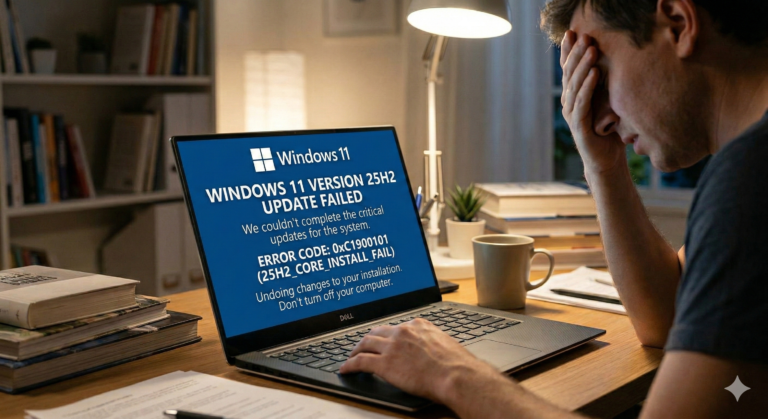
- Updates: Linux updates happen in the background. No more “Do not turn off your PC” screens when you are trying to leave the house.
Recommendation for Home Users:
Try before you wipe. You can put Linux on a USB stick (“Live USB”) and boot your computer from it without deleting Windows. Test your Wi-Fi, your printer, and your favorite websites. If it works, you can install it alongside Windows (Dual Boot) and choose which one to use when you turn on the PC.
4. The “Hybrid” Solution (The Safe Step)
If you aren’t ready to delete Windows, you can start “de-Microsofting” your life while still on Windows. This makes a future switch easier:
- Switch Browser: Stop using Edge; use Firefox or Chrome.
- Switch Office: Stop paying for Office 365; try LibreOffice or OnlyOffice.
- Switch Software: Use VLC for video, Thunderbird for mail.
Final Verdict:
- Switch NOW if you have older hardware or care deeply about privacy.
- Wait if you rely on Adobe or specific proprietary corporate software.
- Do a test for a few weeks before you think about switching. Linux and associated apps are improving rapidly now, currently we would say only migrate if you are keen to do so at this point, later in 2026 it will likely be easier with improved compatibly.