Your inbox is a Phishing Time bomb in 2026
The Death of “Spot the Typo”: Why Your Inbox is a Minefield in 2026 and no Anti-Virus or Firewall will protect you. 10th Feb 2026 If you are still looking…
The days of spotting a phishing email by its poor grammar or odd sender address are over — and no anti-virus or firewall will protect you from what replaced them.
10 February 2026
If you are still looking for bad spelling or strange addresses to identify phishing emails, you are fighting a war that ended two years ago.
As we move deeper into 2026, cybersecurity experts are issuing their starkest warnings yet: the era of "easy" phishing detection is over. A new wave of sophisticated, automated and psychologically manipulative attacks has rendered traditional advice obsolete. The threat landscape has shifted this year from random spam to highly targeted, AI-driven compromises that weaponise our most trusted digital relationships.
AI has landed and it's making criminals hundreds of millions each month. It's big business now, and you are the target.
The "friend" trap: real emails from people you know
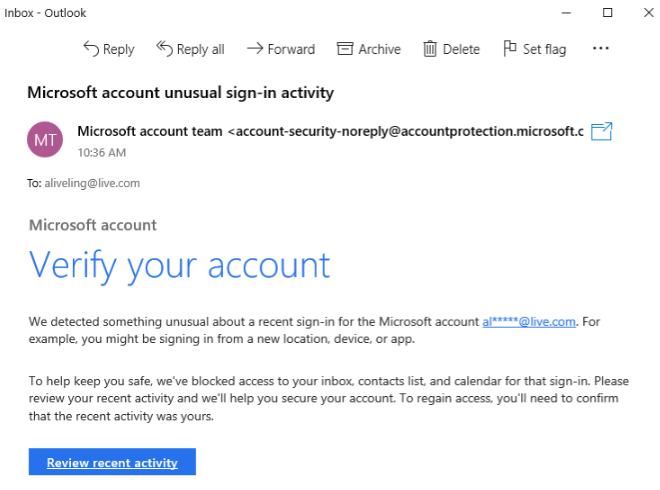
The most chilling development in 2026 is the industrial-scale weaponisation of legitimate email accounts. Gone are the days of display-name spoofing or look-alike domains such as amzon-support.com. Today, the call is coming from someone you know and trust.
Attackers are now using the compromised accounts of your actual friends, colleagues and family members to send malicious but sneaky emails. How? They have access to the victim's history, documents and contact lists, and they use large language models to generate replies that perfectly mimic the sender's tone, referencing previous conversations to build immediate trust and a good reason to click a link or open a document.
You receive an email from your accountant or your brother, from their actual address, replying to a thread you started last week. The context is perfect, the language is natural, and there are no fake headers. The only difference is the link or attachment they are "sharing" with you.
These attacks bypass antivirus detection by using "living off the land" (LotL) tactics — legitimate, code-signed software to facilitate the attack. Instead of a malicious .exe file, the link might open a legitimate remote administration tool (such as Automox or Splashtop) that the user is tricked into authorising, effectively handing over the keys to the kingdom under the guise of a "secure document viewer" or "software update".
The "lock and shop" attack
On-device fraud combined with attended remote access — the newest trick you need to know about.
One of the most aggressive tactics emerging this year is the "lock and shop" exploit: a ruthless combination of trick tactics, remote access and immediate financial and data theft. It starts with either a trusted email (possibly even a reply to your last message), a website advert, or a phone call from "tech support".
You are tricked into downloading legitimate remote access software — PC, Mac or Android — from an accredited website or via an email from someone you know. That then triggers a fake "critical system update" or "system error". This full-screen overlay mimics a legitimate Windows or macOS update screen and locks the interface, preventing you from closing the window or reaching your desktop.
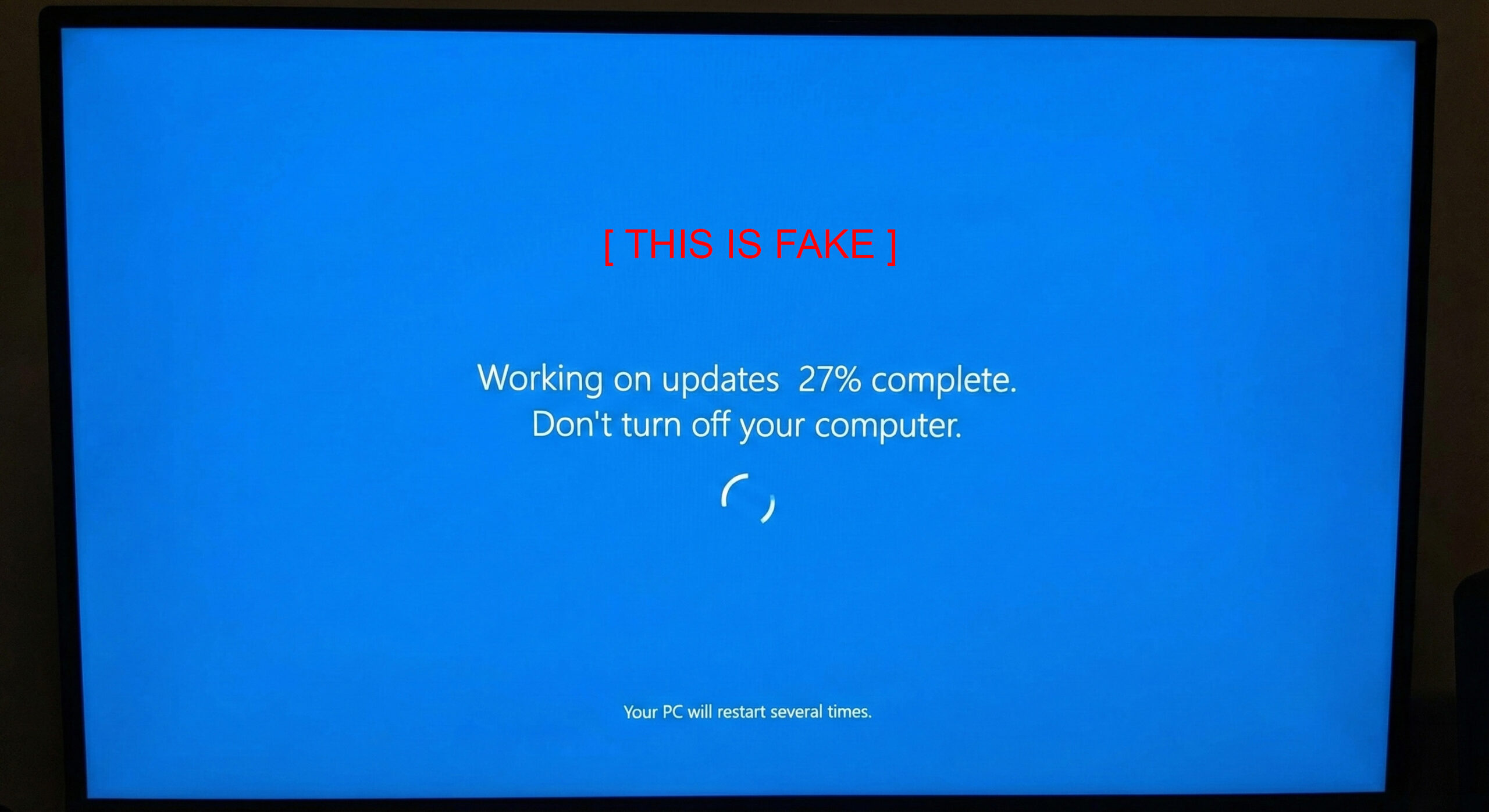
While you stare at a fake progress bar that never moves, the legitimate remote access app lets the attackers work in the background without you seeing anything. They either drive your actual browser on your own system to make purchases, or they inject custom malware to harvest your active browser session — complete with logged-in cookies, and seemingly even Windows and network passwords — so they can carry on from another machine if you discover the trick and kick them off.
This gives them access to verified websites without a password or 2FA/MFA: Amazon, banking, email accounts, cloud drives, admin systems, saved browser passwords, eBay, PayPal, Shopify and more. Because the traffic originates from the victim's own IP address and device, fraud detection systems fail to flag the activity — the session is already pre-authenticated, and that is the golden ticket to do anything without checks. And because they can reach your email through the browser or the Outlook app, they can reset passwords and 2FA/MFA afterwards, locking you out of your own accounts.
Attackers often go for high-value digital gift cards or vouchers first, usually across 10–100 smaller transactions of around £100 each, which mostly go unflagged by banks even for fraud checks — but the total reaches tens of thousands very quickly. The vouchers are emailed instantly to a burner account and cashed out. By the time you force a reboot, thinking an hour is a very long update, the account has been drained with no notification and the digital goods are long gone. Nobody can reverse or recover from this loss. Amazon typically does not refund in this situation, and banks generally have a no-refund policy on standard accounts. If a credit card was used, the card company may refund up to a certain point.
The financial loss isn't the end of it. There is the cost of a forensic investigation of the event, which is very expensive; reporting the data breach to the ICO within 72 hours; and the loss of documents, photos, passport or ID images, customer data and password lists. Then they use your credibility to attack the next set of people, through your email account and your contact list.
The PDF that isn't a PDF
This is something most people have not heard of yet, but there is a resurgence of file-based attacks that exploit Windows features. According to an alarming new report released this month by ThreatDown/Malwarebytes, attackers have refined a technique dubbed "DEAD#VAX", where a file appearing to be a PDF is actually a trapdoor into your system.
As detailed in the report Open the wrong "PDF" and attackers gain remote access to your PC, this campaign tricks users into downloading what looks like a harmless invoice. However, the file is often a Virtual Hard Disk (VHD) or similar container file disguised with a PDF icon.
When double-clicked, instead of opening Adobe Reader, Windows "mounts" the drive and silently executes a hidden script — often a WSF file. That script injects the AsyncRAT malware directly into the memory of legitimate system processes such as RuntimeBroker.exe. The result? Attackers gain full remote control of your PC without ever writing a traditional virus file to the hard drive, making it nearly invisible to standard antivirus scans.
The extension crisis: spying on your thoughts
Perhaps the most insidious threat of 2026 lies in the browser itself. With the explosion of AI tools, users have flocked to browser extensions that promise to enhance ChatGPT, Claude or DeepSeek workflows, help write email, or simply block ads. Attackers have poisoned this well.
A separate investigation highlighted in Malicious Chrome extensions can spy on your ChatGPT chats reveals that thousands of users have unknowingly installed spyware masquerading as productivity tools.
Some of these extensions, which managed to acquire "Featured" badges on web stores before being removed, are designed to sit quietly in the browser. They do not just block ads; they intercept the authentication tokens for AI services. This allows attackers to bypass login screens and remotely access a victim's entire history of AI conversations.
For businesses, this is a nightmare scenario: sensitive proprietary code, legal strategy or confidential data pasted into ChatGPT is now in the hands of cybercriminals.
What you can do
In 2026, trust must be verified, not assumed. IT Pro Expert recommends the following steps.
In summary
Verify by voice
Don't open email links from anyone unless verified by calling the person directly.
Nothing should ask you to log in
No document or link should ever ask you to log in, decrypt, verify credentials or install software.
No unvetted extensions
Don't install browser extensions unless authorised by an IT cyber security specialist.
Serious endpoint protection
Use a high-level anti-virus such as ThreatDown — not McAfee, Norton, Avast or AVG.
Harden the gateway
Add phishing and malware protection via 9.9.9.9 DNS, plus remote access app blocking.
Manage passwords properly
Use Proton Pass as your password manager.
Not sure your defences cover this?
We can review your gateway, endpoints and user training.