Which Linux Distro For Which Job — Q3 2026, v2
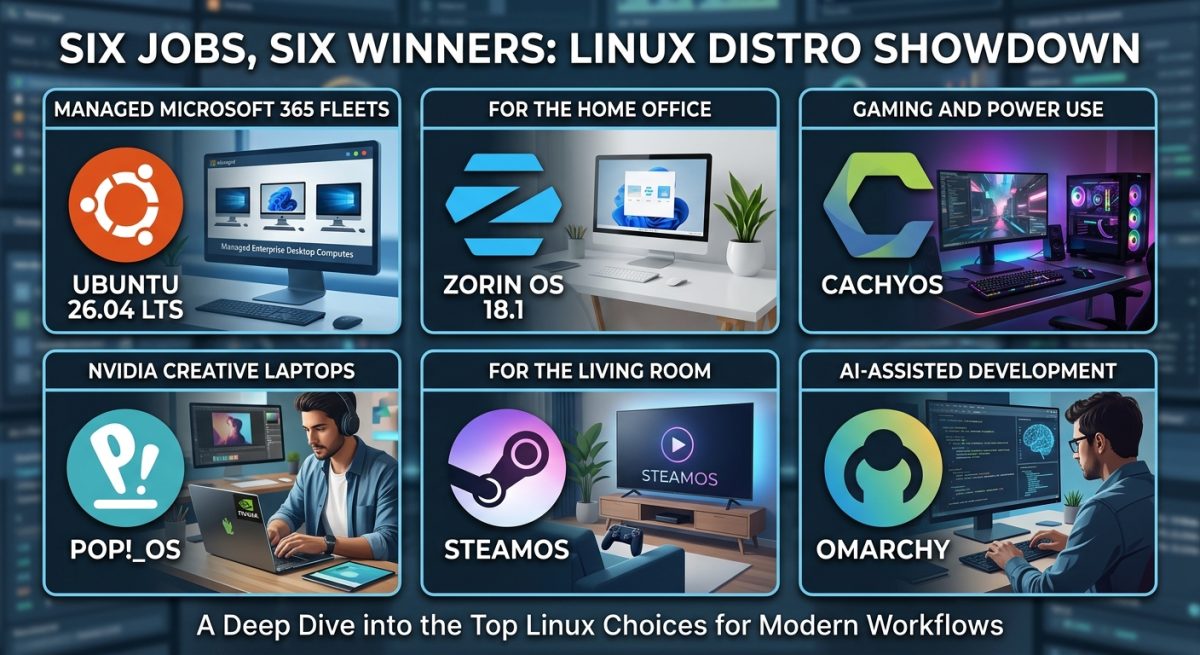
One distro no longer wins. Six jobs, six winners: Ubuntu 26.04 LTS for managed Microsoft 365 fleets, Zorin OS 18.1 for the home office, CachyOS for gaming and power use, Pop!_OS for NVIDIA creative laptops, SteamOS for the living room, and Omarchy for AI-assisted development.
Our last update crowned a single winner. Six weeks later that framing looks wrong — because the question was never "which distro", it was "which job".
In July we put CachyOS at the top of a three-way race between CachyOS, Nobara and Pop!_OS, having retired Bazzite for being too locked down to hack on. That verdict still holds for the machine that article was about: a bleeding-edge Intel Core Ultra and RTX 50-series box that has to game, work and run virtual machines all on one install.
But readers came back with a fair complaint. Most people are not buying one machine to do everything. They are asking a narrower question — what goes on the accountant's laptop, what do I hand my father now Windows 10 is dead, what do I run for colour grading, what goes under the telly, what do I develop on. Those are six different questions with six different right answers, and pretending one distribution wins all six is how people end up on the wrong operating system.
So this revision replaces the single podium with six categories. Each one has a clear winner, and in almost every case the winner is winning for a reason that has nothing to do with which distribution is fastest.
The six jobs, and who wins each
Managed Microsoft 365 fleet
Ubuntu 26.04 LTS — the only desktop Intune actually supports.
Home office & Windows refugee
Zorin OS 18.1 — migration tooling that prevents the day-three support call.
Gaming plus serious work
CachyOS — tuned kernel, newest drivers, snapshots when it goes wrong.
NVIDIA laptop & creative
Pop!_OS — automatic per-app GPU selection and the right base for Resolve.
Living room & handheld
SteamOS — purpose-built and controller-first, provided the GPU is AMD.
AI-assisted development
Omarchy — the only distribution shipping coding agents as part of the system.
What changed since v1
SteamOS went general-purpose. On 23 June 2026, alongside the SteamOS 3.8 release, Valve updated its Steam Machine FAQ to declare support for whatever PC parts you want, provided the GPU is from AMD. The Steam Deck requirement is gone. That forces SteamOS into the conversation for the first time — but, as we explain below, on terms that keep it well away from the power-user categories.
Ubuntu shipped a new LTS. Ubuntu 26.04 LTS "Resolute Raccoon" arrived on 23 April 2026 with the Linux 7.0 kernel, the Mesa 26.0 graphics stack and GNOME 50, maintained for five years until April 2031 and up to ten with a free Ubuntu Pro plan. That single release fixed the objection that had kept Ubuntu off our list — an ageing kernel — and it did so on hardware that matters here: kernel 7.0 brings support for Intel Core Ultra Series 3 "Panther Lake" processors, including Xe3 integrated graphics and NPU optimisations.
AI coding agents became a distribution feature. Twelve months ago, "which distro is best for AI-assisted development" was not a question anyone asked, because the answer was "install the CLI yourself, they all work the same". That is no longer true, and one distribution has moved decisively. See category six.
Bazzite stays retired — and SteamOS fails the same test. We removed Bazzite in v1 because an immutable, atomic base is the wrong shape for a machine you need to modify. SteamOS uses an immutable file system, meaning system updates cannot be broken by errant software installs. That is a genuine reliability win, and it is exactly the trade-off we rejected. Consistency demands we treat both the same way: excellent appliances, poor workstations.
Nobara slipped. It is still the smoothest zero-setup gaming install on Linux, and nothing here is a criticism of the work Thomas Crider does. But the release cadence tells against it for anything you depend on — see the section near the end.
1. Managed office fleet with Microsoft 365 — Ubuntu 26.04 LTS
If the machine belongs to a business, sits in a Microsoft 365 tenant and needs to satisfy Conditional Access, this category has exactly one answer and it is not a matter of taste.
Read that carefully, because it eliminates almost everything else in this article. CachyOS, Nobara, Zorin and Omarchy are out. Linux Mint is out. Even Pop!_OS is out despite being Ubuntu-based, because 24.04 ships COSMIC rather than GNOME. If you need compliance policy and Conditional Access on a Linux desktop, it is plain Ubuntu Desktop LTS or you are running the fleet unmanaged.
The good news is that 26.04 is a genuinely strong desktop on its own merits. The Rust-rewritten sudo, post-quantum cryptography enabled by default and TPM-backed full-disk encryption are exactly the sort of thing that survives a security questionnaire. GNOME 50 adds better HDR colour management, improved remote desktop and a smoother desktop with NVIDIA drivers.
The catch you must plan for: Ubuntu Desktop is now Wayland-only — the Xorg session has been dropped, though X11 applications still run through XWayland. Any legacy internal tool that needs a real X session is a migration blocker, not a footnote. Test before you commit. Canonical also now recommends at least 6 GB of RAM for a comfortable desktop, up from 4 GB in the previous LTS, which quietly writes off some of the older kit people were hoping to redeploy.
If your users want a Windows-shaped desktop rather than GNOME, Kubuntu 26.04 LTS ships KDE Plasma 6.6 — but understand that you are trading away Intune support to get it.
2. Home office and the Windows refugee — Zorin OS 18.1
A different job entirely. Nobody here is enrolling in a tenant; they want the machine to feel like the one they had before, and they want Office to open.
Zorin OS 18.1 landed on 15 April 2026, six months and 3.3 million downloads after 18.0, still on an Ubuntu 24.04 LTS base but with a newer kernel courtesy of Canonical's hardware enablement stack, alongside a new Xfce-based Lite edition for older machines. Its adoption curve is not accidental — Zorin OS 18 took a million downloads in five weeks after Windows 10 support ended, and passed two million in under three months, with a majority coming from Windows users.
What makes it the winner here is migration tooling, not theming. Any distribution can be skinned to look like Windows. Zorin does the things that actually go wrong on day three.
That first behaviour prevents more support calls than any theme ever will.
The catch: it is on the Ubuntu 24.04 base, so it is a generation behind on the kernel unless the enablement stack has caught up with your silicon. For a Panther Lake or RTX 50-series machine, check hardware support before you commit — this is a comfort-first distribution, not a bleeding-edge one.
3. Gaming plus serious work on one machine — CachyOS
Unchanged from v1, and it has spent the interval consolidating rather than coasting.
The August 2026 ISO — the project's fifth release of the year — ships the Linux 6.18 LTS kernel with KDE Plasma 6.7.4, KDE Frameworks 6.28 and KDE Gear 26.04.3, all compiled against Qt 6.11.1. Underneath, the tooling is being rebuilt in earnest: chwd, the kernel-manager back-end, was rewritten from C++ to Rust, the Cachy Update tray applet was also rewritten in Rust, and the Shelly graphical package manager moved from C# to Zig, replacing a managed runtime with native binaries that start faster and use less memory.
Two changes matter more than the version numbers. First, the gaming wiki guide was substantially rewritten because the old per-game launch options are no longer needed with the latest proton-cachyos — the tuning is moving into the platform rather than sitting in your Steam properties. Second, June's release fixed driver conflicts on multi-GPU systems that required incompatible driver branches, so chwd now installs the best common driver or falls back to the primary GPU. That is precisely the hybrid-graphics scenario that used to catch people out.
There is also a Server Edition in preparation, with experimental installation profiles landing in the command-line installer. Whether that is a distraction or a sign of maturity is a fair question, but it is not a project standing still.
Everything from v1 still applies: the BORE and sched-ext schedulers, x86-64-v3/v4 repositories with LTO, PGO and BOLT optimisation, automatic BTRFS snapshots that make a bad rolling update a one-reboot problem, and the AUR behind it.
Who it is not for: anyone who cannot afford to lose a morning to an update. That is not a knock on CachyOS specifically — it is what rolling means. If the machine has to work on Tuesday because a client is waiting, put it in category one or two.
4. NVIDIA laptop and creative work — Pop!_OS
Pop wins here on power management, and it wins on the one workflow that decides the category: DaVinci Resolve.
Pop!_OS 24.04 LTS introduced hybrid graphics support with no need to change modes — applications that request the discrete GPU automatically run on the correct one, and you can manually run an app on your preferred GPU by right-clicking its icon. That is a meaningful upgrade on the old three-mode switch, and exactly right for a laptop that spends the morning in a browser and the afternoon rendering. The same release brought the Refresh Install feature — hold Space at boot to reinstall the operating system while keeping files, settings and Flatpak user applications — plus tiling that works per workspace and per display.
The Resolve reality, in detail
Blackmagic officially supports only Rocky Linux 8.6 with a discrete NVIDIA GPU. No Blackmagic-built .deb or .rpm exists for Ubuntu, Debian or Linux Mint — every install method on those distributions is a workaround rather than a supported path. The reason is architectural: those distributions use older, ABI-stable versions of glibc, GCC and kernel modules that align precisely with Resolve's statically linked binaries and proprietary GPU acceleration layer.
The container route solves it properly. Tools such as DavinciBox run Resolve inside a container built to look like Rocky Linux to the application regardless of the host distribution, sidestepping the library-version mismatch at source, at the cost of one more layer between your GPU driver and the app. In the field, professionals report Resolve 20 running without issue on Rocky 9.5 and 9.7, and note that Rocky 8 is now end-of-life while 9 is mature — so build the container on Rocky 9, not the 8.6 the documentation names.
The catch: COSMIC is still young. System76 organises the work into Epochs of roughly six to eight months, delivering features weekly as a rolling desktop environment after QA validation. Epoch 2 targets a Vulkan renderer for the compositor plus reactive rendering to cut CPU usage by 60–80%, multi-threaded image decoding and parallel GPU image uploads. It also promises input method and fcitx support, Wacom tablet support, a COSMIC Printers dialog, firmware management in Settings, gaming improvements and a frosted glass effect. Read that list the right way round: those are things the desktop does not have yet. A printer dialog and tablet support are not exotic asks for a creative workstation.
5. Living room and handheld — SteamOS
A new category, and the only one where an immutable appliance is the correct answer rather than a compromise.
SteamOS 3.8.10, released on 17 June 2026, formally expanded compatibility to off-the-shelf desktop hardware, shipping Linux kernel 6.16, updated Mesa, improved video-memory management on discrete-GPU systems and a fix for a chainloader bug that prevented booting on some desktops with newer UEFI firmware. Valve began sending purchase links for the Steam Machine to reservation-queue customers on 29 June 2026, with Steam listing 30 June as the release date.
The hardware rules are strict, and they are the whole story:
- NVIDIA is out. Valve has confirmed a dedicated and growing team collaborating with NVIDIA on driver support, but it will not arrive before the end of 2026 at the earliest, with most reporting putting the realistic target in 2027.
- Intel is unofficial but working. SteamOS has been tested running on Intel Arc B580 desktop graphics and on the Lunar Lake Core Ultra 7 258V with Arc 140V in the MSI Claw 8. However, the official TDP management menu does not work well with Intel chips, forcing third-party tools; some controller buttons mis-map; and games that are smooth on Windows can drop frames.
- It wants the whole drive. The installer is not yet designed for dual-booting — there is no wizard to remove another operating system or partition a disk — and Valve's own engineer describes running it alongside another OS as a future goal.
- Custom installs are beta. Only the Steam Deck, Steam Machine and Lenovo Legion Go S carry official "Powered by SteamOS" status. The ROG Ally, Ally X, original Legion Go and other AMD handhelds sit at beta, and AMD discrete GPUs are the newest addition to that list.
For a dedicated box under a television with an AMD card in it, none of that matters and SteamOS is excellent. For anything that also has to be a computer, all of it matters.
6. AI-assisted development — Omarchy
This is the category that did not exist in v1, and it is the one where the winner surprised us.
We looked at Omarchy in July and set it aside. It is Arch with the Hyprland tiling window manager, its NVIDIA story is the weakest of anything here, and its own manual is candid that it is not trying to be as familiar as possible, is heavy on the terminal, and expects you to edit configuration files by hand. All of that is still true, and it is why Omarchy is not the answer to any of the first five categories.
But judge it on the job it is actually built for and the picture inverts, because nothing else on this list treats AI coding agents as part of the operating system.
Omarchy treats AI coding agents as first-class citizens without picking a favourite for you. Every major coding-agent CLI comes pre-wired as a lazy-loaded launcher — tiny Mise-managed stubs in your local bin directory, so nothing downloads until the first time you run one. You set your default agent from the Omarchy menu or the command line, and picking one that is not installed yet installs it. Once chosen, a single hotkey launches it in a dedicated terminal window.
The deeper integration is the agent skill. Omarchy ships a default skill for tailoring the system — editing your Hyprland configuration, adjusting the bar, building a theme from scratch — symlinked into the skill directories for Claude Code, Codex, Pi and Antigravity, plus a generic agent skills location, so most harnesses pick it up automatically. In other words, the distribution ships instructions telling your agent how to modify the distribution. Whatever you think of that idea, no other desktop Linux is shipping it.
For local inference, Omarchy recommends LM Studio for a graphical approach to finding, installing and running open-weight models, or Ollama for the command-line equivalent, both available from the Install menu.
The conventional development story underneath is just as complete. The Install > Development section covers Ruby on Rails, all three major JavaScript runtimes (Node.js, Bun and Deno), Laravel and Symfony, plus Go, Rust, Python, Java, Elixir with Phoenix, .NET, OCaml, Zig, Clojure and Scala — most of them managed through Mise, which runs multiple language versions side by side. Docker DB sets up common local databases, the GitHub CLI is wired in as a lazy-loading stub for cloning private repositories, and lazygit is preinstalled.
The caveats, and they are real. Take the agent skill at the project's own valuation: Omarchy calls it experimental, notes that different models will use it to different effect, and recommends running in plan mode first so you can see what the agent intends to change. The NVIDIA position has not improved — the Hyprland project devotes a full documentation page to the issues arising from NVIDIA's proprietary drivers, which it has no control over — so an RTX laptop is still the wrong host. And a tiling window manager is a genuine week-one productivity tax if you have never used one.
The alternative, if the workflow appeals but the risk does not: CachyOS's June 2026 ISO added a preconfigured Hyprland Noctalia desktop option directly in the installer, with a preview so you can see it before selecting. You get the tiling environment on a tuned kernel with working driver tooling, and you install the agent CLIs yourself — which takes an afternoon. That is the pragmatic route. Omarchy wins the category on integration; it does not win it on safety.
Master feature comparison matrix
| Feature | Ubuntu 26.04 LTS | Zorin OS 18.1 | CachyOS | Pop!_OS 24.04 LTS | SteamOS 3.8 | Omarchy |
|---|---|---|---|---|---|---|
| Category won | Managed M365 office | Home office | Gaming + power user | NVIDIA creative laptop | Living room | AI-assisted development |
| Base | Debian/Ubuntu (LTS) | Ubuntu 24.04 LTS | Arch (rolling) | Ubuntu 24.04 LTS | Arch (immutable) | Arch (rolling) |
| Desktop | GNOME 50, Wayland-only | GNOME, Windows-style; Xfce Lite | KDE Plasma 6.7.4 | COSMIC (Epoch 1) | Game Mode; KDE desktop mode | Hyprland + Quickshell |
| Kernel | 7.0 | 24.04 + enablement stack | 6.18 LTS | 24.04 LTS line | 6.16 | Arch current |
| Intel Arc / Core Ultra | Very good — 7.0 covers Panther Lake, Xe3, NPU | Adequate — depends on enablement stack | Best — newest Mesa first | Good | Beta — TDP controls unreliable | Very good — same Arch upstream |
| NVIDIA RTX 50-series | Good | Adequate | Excellent — one-click chwd | Excellent — dedicated ISO | Unsupported — 2027 at earliest | Weakest here |
| Hybrid graphics | Manual / PRIME | Manual / PRIME | chwd picks best common driver | Best — automatic per-app GPU | Not applicable | Manual scripts |
| Fractional scaling | Wayland, HDR colour | Wayland via GNOME | Wayland, per-display | Wayland, per-display | TV-oriented | Wayland, config-file driven |
| Dev toolchain out of box | Install it yourself | Install it yourself | Install it yourself | Install it yourself | None | Best — Mise, 15+ languages, Docker DB, gh, lazygit |
| AI agent integration | None | None | None | None | None | Only distro shipping it — agent CLIs, system skill, LM Studio/Ollama |
| Microsoft 365 | Web apps / OnlyOffice / VM | Built-in Web Apps + OneDrive | Web apps / OnlyOffice / VM | Web apps / OnlyOffice / VM | Not applicable | Web apps; LibreOffice preinstalled |
| Intune manageability | Only supported option | Unmanaged | Unmanaged | Unmanaged (COSMIC, not GNOME) | Unmanaged | Unmanaged |
| VMs & passthrough | Good — modern kernel | Good — standard KVM | Excellent — Arch VFIO docs | Good | Not a use case | Good — Windows VM guide |
| Gaming | Fine — Steam + Proton | Fine — Steam + Proton | Excellent — proton-cachyos | Very good | Purpose-built | Good — menu installers |
| Creative (Resolve) | Container route, unsupported host | Container route, unsupported host | Container route | Best pairing — NVIDIA + Rocky container | No | Poor host |
| Safety net | LTS + Livepatch (Pro) | LTS + Ubuntu base | Automatic BTRFS snapshots | Refresh Install | Immutable image | Auto snapshots (root only, not home) |
| Support window | April 2031; 10 yrs with Pro | Ubuntu 24.04 LTS lifecycle | Rolling — no EOL, no LTS | Ubuntu 24.04 LTS lifecycle | Continuous, Valve-controlled | Rolling |
| Package manager | apt | apt | pacman | apt | pacman (read-only root) | pacman + paru |
| Key weakness | Wayland-only breaks legacy X11; 6 GB RAM floor | A kernel generation behind | Rolling needs supervision | COSMIC lacks printer dialog, tablet support | AMD-only, no dual-boot, immutable | Tiling learning curve; NVIDIA; skill is experimental |
Category winners at a glance
| Category | Winner | Why |
|---|---|---|
| Managed business fleet | Ubuntu 26.04 LTS | The only desktop Intune supports, and GNOME is a hard requirement. Everything else is unmanaged by definition. |
| Windows 10 refugee | Zorin OS 18.1 | Detects 240+ Windows installers and redirects to native apps; Microsoft 365 and Teams as first-class web apps; OneDrive built in. |
| Raw performance & latency | CachyOS | BORE and sched-ext schedulers plus architecture-optimised packages still deliver measurably higher framerates and a snappier desktop. |
| Newest Intel Arc silicon | CachyOS | Arch ships new Mesa and kernels before Fedora or Ubuntu. Ubuntu 26.04 has closed the gap considerably, but not eliminated it. |
| VMs & GPU passthrough | CachyOS | Newest kernel plus QEMU, and the Arch ecosystem's VFIO documentation remains the best there is. |
| NVIDIA hybrid laptops | Pop!_OS | Automatic per-app GPU selection with a right-click override. No other distribution handles this as invisibly. |
| Colour grading & video | Pop!_OS | NVIDIA-first plus the Rocky container route Resolve actually expects. Budget for Studio: the free build has no H.264 or H.265 on Linux. |
| Zero-setup gaming | Nobara | Still unbeaten on first-boot compatibility. Just do not make it the machine your business depends on. |
| Living room / TV | SteamOS | Purpose-built, immutable, controller-first. AMD GPU required. |
| AI-assisted development | Omarchy | Agent CLIs pre-wired as first-class citizens, a system-tailoring skill shipped for Claude Code, Codex, Pi and Antigravity, and LM Studio or Ollama one menu away. |
| Remote desktop & office | Ubuntu 26.04 LTS | GNOME 50 improved remote desktop directly, and an LTS network stack is the right base for VPNs and long-running sessions. |
The ones that did not win, and why
Nobara
Nobara remains the best zero-setup gaming experience on Linux and we are not moving it. But the cadence is a problem for anything load-bearing. Fedora 44 shipped on 28 April 2026 — itself delayed from 14 April by outstanding blockers including NVIDIA Mesa driver setup and several KDE issues — and Nobara took roughly two months to rebase onto it, landing as an update of some 8,000 packages.
Users also report that you are not supposed to use Fedora's own dnf to update, but a custom Nobara graphical tool with an underdocumented command-line option, which applies a long list of "quirks": removing conflicting RPM Fusion release packages, swapping ROCm packages for upstream Fedora versions, Mesa Vulkan and VAAPI fixups, and an fsync-to-nobara kernel conversion. That machinery is doing real work and it mostly works. It is also a lot of moving parts between you and a security update, and the project itself still says it is not intended for mission-critical use.
Linux Mint
Linux Mint is the most Windows-like paradigm on Linux and the wrong recommendation for new hardware right now. Mint 23 "Alfa" is targeting December 2026 on an Ubuntu 26.04 LTS base with the Linux 7.0 kernel, which leaves the current release sitting on Ubuntu 24.04 until Christmas. Cinnamon still defaults to X11 with Wayland as a tech preview, and on mixed-DPI multi-monitor setups Ubuntu's Wayland session is genuinely better today. Revisit it in the new year — it is a strong candidate for the Q4 update.
Bazzite
Bazzite stays retired for the reasons given in v1, and SteamOS inherits the same verdict for the same reason. Both are excellent at being appliances.
The verdict
"Best Linux distro" stopped being a meaningful question some time in 2026.
The distributions have converged on the same upstreams — the same kernels, the same Mesa, the same Proton — and what separates them now is the layer above: manageability, migration tooling, driver automation, update cadence, and now agent integration. Those are product decisions, not technical ones, and they map cleanly onto jobs.
So pick the job first:
- It is in a Microsoft 365 tenant and someone else has to support it — Ubuntu 26.04 LTS
- Someone is leaving Windows and wants it to feel the same — Zorin OS 18.1
- One machine, everything, and you can handle a rollback — CachyOS
- NVIDIA laptop doing creative work — Pop!_OS
- AMD box under a television — SteamOS
- You live in a terminal and code with agents — Omarchy
On SteamOS: it is easy to read its arrival as a threat to the others. It is the opposite. Valve's work on Proton and the Arch gaming stack is the upstream that CachyOS tunes and Nobara packages. Every gaming win on this page rests on it. SteamOS did not enter the race in 2026 — it just stopped being invisible.
On Omarchy: category six is the newest and therefore the least settled. Ubuntu and Pop have held their categories for years; Omarchy has held its for months, on a feature set the rest of the field has not yet tried to match. If GNOME or KDE ship comparable agent integration in the next twelve months, this is the first category to change hands. We will find out in the Q4 update.
Standardising a mixed estate?
We support Linux, Windows and Microsoft 365 environments across the UK and US.