UK - The leaders in global privacy invasion. Is there any escape?
UK surveillance laws now weaken encryption and expand facial recognition. Learn what's changed since 2025 and how to protect your privacy today.
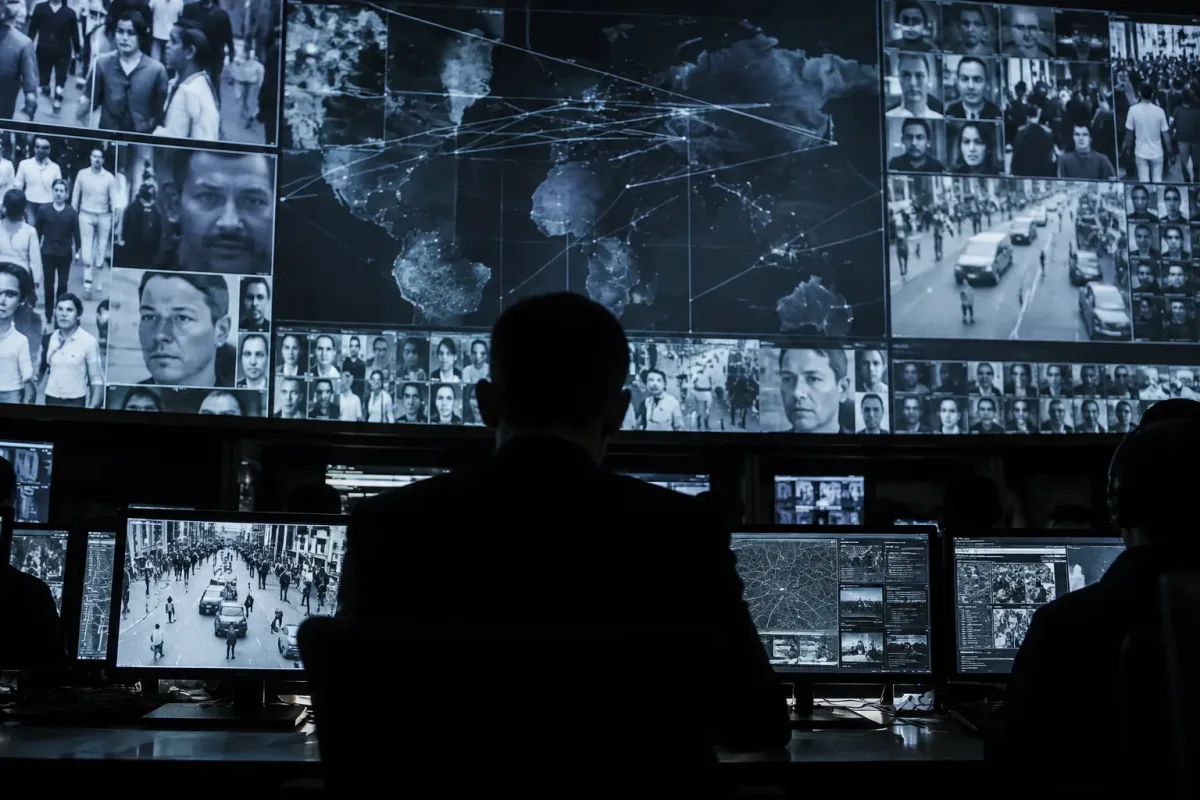
Governments across the democratic world are steadily widening their reach into private communications, and the United Kingdom is out in front. Secret orders against encryption, powers to scan private messages, and cameras that identify faces in the street are no longer proposals. Here is where things stand in autumn 2026, and what you can realistically do about it.
How Britain got here
No single law turned the UK into a surveillance leader. It has been a steady accumulation of powers, each justified on its own terms, which together add up to one of the most far-reaching toolkits of any major democracy.
2016: the Investigatory Powers Act
Nicknamed the Snoopers' Charter, it lets the Home Secretary issue secret Technical Capability Notices ordering a company to remove "electronic protection" from communications. Recipients can be barred from even saying they have received one.
2023: the Online Safety Act
Section 121 lets Ofcom order a messaging service to use "accredited technology" to detect child abuse or terrorism material, whether or not the service is end-to-end encrypted. In practice, the only way to do that is to scan messages on your device before they are encrypted. The government has said it will not use the power until it is technically feasible, but the power remains on the statute book.
January 2025: the Apple order
The Home Office served Apple a notice demanding access to encrypted iCloud data belonging to users worldwide. It later narrowed the demand to UK users only.
February 2025: encryption withdrawn
Rather than build a backdoor, Apple stopped offering Advanced Data Protection, its end-to-end encryption for iCloud, to new UK users.
2026: faces in the crowd, and a fight in the tribunal
Live facial recognition spreads from a handful of forces towards national rollout. Apple files a fresh complaint to the Investigatory Powers Tribunal in August, and at a hearing in September its lawyers argue that the Home Office's refusal to even confirm the order exists has become untenable. A separate challenge brought by Privacy International is listed for December.
Apple is the only company publicly known to have received such an order. When a US senator asked Google in 2025 whether it had received one, it initially replied only that it would be barred from saying so, before later stating publicly that it had not.
The cameras are already out
Encryption fights happen in tribunals and in secret. Facial recognition happens on the high street. Parliament has never passed a law that specifically authorises it, yet deployment has raced ahead of the legal framework the Home Office only began consulting on in December 2025.
The Metropolitan Police intends to install fixed cameras across the West End and Soho by the end of 2026, following a Croydon pilot. A judicial review challenging the Met's policy was dismissed by the High Court in April. Handheld devices that let officers scan the face of whoever is in front of them are also being trialled in London.
Surveillance used to start with suspicion. Increasingly, it starts with everyone.
It isn't only Britain
The UK is leading, but it is not alone. Other democracies are moving the same way, often borrowing the same arguments and the same legal language.
European Union
The proposed Child Sexual Abuse Regulation, known to critics as Chat Control, would make scanning of private messages mandatory. It remains stuck in negotiation, but in July 2026 the EU revived the temporary regime allowing platforms to scan unencrypted messages voluntarily, even though most MEPs who voted opposed it.
United States
Section 702 of FISA allows warrantless collection of foreigners' communications through US tech companies, sweeping up Americans who talk to them. Due to expire in April 2026, it was kept alive through a series of short-term extensions while Congress argued over reforms.
Australia
The 2018 Assistance and Access Act lets authorities compel companies to build new capabilities into their products to help agencies access communications, a model that closely mirrors Britain's Technical Capability Notices.
The case governments make
It is worth being clear about the other side of the argument. Ministers point to child sexual abuse material, terrorism and organised crime, all of which use encrypted apps. A Home Office survey found two in three people support police use of facial recognition, and the Met credits its Croydon pilot with 173 arrests. In the US, supporters of Section 702 say the safeguards added in 2024 are working and that the programme regularly disrupts real threats.
The problem is not the goal; it is the method. There is no known way to let a government read encrypted messages that does not also create a weakness criminals and hostile states can exploit. That is why Signal and Element have said they would leave the UK rather than scan their users' messages, and why Apple chose to withdraw a security feature rather than weaken it.
Where your real exposure sits
People often worry about hidden backdoors in phone hardware. Security researchers have found serious flaws in phone modems and even undocumented hardware features in Apple chips, but the documented risks for most people are far more ordinary:
Encryption only protects the journey
Signal is the messaging app most trusted by security researchers, journalists and privacy advocates. It is open source, independently audited, and collects almost nothing about its users. But its encryption protects a message only while it travels. On your phone, before it is sent, and on the recipient's phone, after it arrives, the message is ordinary readable text. Anything else on either phone that can see it can copy it, and nothing about Signal's encryption will stop that.
This is also exactly where the UK's Online Safety Act scanning power would operate: on the device, before a message is encrypted. Treat the phone itself as the weak point, not the app.
The same rules apply to the Meshtastic set-ups below: an encrypted radio link protects the message in the air, not on a phone that is leaking its notifications.
Leaving the networks altogether: Meshtastic
Every option above still relies on someone else's infrastructure: a mobile carrier, an internet provider, or a cloud service that can be served with an order. The most private approach is to step off those networks entirely. That is what Meshtastic does.
Meshtastic is open-source firmware for small, inexpensive LoRa radios. Each device relays messages for the others, forming a mesh with no mobile network, no internet, no SIM and no account. In the UK it runs on the licence-free 868 MHz band. You can use it in two ways:
An offline phone plus a radio node
A phone with no SIM and Wi-Fi switched off pairs over Bluetooth with a pocket Meshtastic node and uses the Meshtastic app for typing and reading. The phone never touches the internet or a mobile network.
A standalone handheld
Devices such as the LilyGo T-Deck Plus and T-Pager have a built-in keyboard, screen and radio, so no phone is needed at all. They look and feel much like an old BlackBerry.
Direct messages between two people have been end-to-end encrypted with public-key cryptography since firmware 2.5 in 2024, so the nodes relaying a message cannot read it. Group channels use a shared 256-bit key instead, which protects the content from anyone outside the group.
The trade-off is range. Depending on terrain, buildings and how many other nodes are nearby, a message may travel a few hundred metres in a dense city or many kilometres between hilltops. Messages are short, both people need compatible devices, and delivery is not guaranteed. For everyday use it complements a secure phone rather than replacing one, but for private messages that never touch a provider's servers, nothing mainstream comes closer.
Which devices hold up best
We scored the most common options for private messaging, including with and without a SIM card so you can see how much the mobile network alone costs you in privacy. The table also covers the two Meshtastic set-ups, the main Linux phone operating systems, and the phones most people actually carry, set up the way most people use them. These are our own assessments; unless a row says "default settings", we assume the device is set up carefully with minimal accounts.
| Rank | Option | Security against hacking | Hard to track | Signal support | Everyday practicality | Overall /10 |
|---|---|---|---|---|---|---|
| 1 | Pixel + GrapheneOS, no SIM | 9 | 8 | 10 | 8 | 9 |
| 2 | Pixel + GrapheneOS, no SIM, no Wi-Fi, with Meshtastic node | 8 | 9 | n/a (Meshtastic encryption) | 4 | 7.5 |
| 3 | Pixel + GrapheneOS, with SIM | 8 | 4 | 10 | 10 | 7.5 |
| 4 | iPhone with Lockdown Mode, no SIM | 8 | 6 | 10 | 9 | 7.5 |
| 5 | Standalone Meshtastic handheld (e.g. T-Deck Plus) | 5 | 9 | n/a (Meshtastic encryption) | 4 | 6.5 |
| 6 | iPhone with Lockdown Mode, with SIM | 7 | 3 | 10 | 10 | 6.5 |
| 7 | Wi-Fi-only iPad | 8 | 7 | 6 (linked device only) | 5 | 6.5 |
| 8 | Linux: Sailfish OS (e.g. Jolla Phone), no SIM | 4 | 7 | 7 (Android app via compatibility layer) | 6 | 5 |
| 9 | Linux: Purism Librem 5 (PureOS, hardware kill switches) | 5 | 8 | 3 (unofficial clients) | 4 | 5 |
| 10 | Stock Android flagship, no SIM | 6 | 4 | 10 | 9 | 5 |
| 11 | Everyday iPhone, default settings, with SIM (what most people use) | 6 | 2 | 10 | 10 | 4.5 |
| 12 | Linux: Ubuntu Touch (e.g. Volla, Fairphone), no SIM | 4 | 7 | 3 (unofficial clients) | 4 | 4.5 |
| 13 | Linux: postmarketOS or Mobian (e.g. PinePhone), no SIM | 3 | 7 | 3 (unofficial clients) | 3 | 4 |
| 14 | Everyday Android flagship, default settings, with SIM (what most people use) | 5 | 2 | 10 | 10 | 4 |
| 15 | Budget or lesser-known Android brand, default settings, with SIM | 2 | 1 | 10 | 9 | 2.5 |
| 16 | Dedicated "encrypted phone" vendors | Unverifiable | 2 | 1 | 3 | 1 |
The phones most people carry sit in the bottom half. That is less about the hardware than the defaults: a Google or Apple account signed in, cloud backups switched on, message previews on the lock screen, location history recording, and an active SIM. The same iPhone or flagship Android moves up the table several places once it is set up carefully, and the gap between a default and a hardened set-up on the same handset is bigger than the gap between most brands. Budget and lesser-known brands score lowest because preinstalled software and slow or missing security updates are where most proven Android abuse has come from.
Linux phones are the reverse of the everyday phones. They score well on tracking because there is no Google or Apple account and very little data sent home. They score poorly on security because their app sandboxing and exploit protections are far less mature than Android's or iOS's, and Signal support mostly relies on unofficial apps. Sailfish OS runs the Android version of Signal through its compatibility layer, which makes it the most practical of the group, but parts of Sailfish are still closed-source. A Linux phone gives you control and independence from the big platforms; it does not yet give you the strongest protection against a determined attacker.
The two Meshtastic set-ups score highest of all for being hard to track, because nothing they send passes through a carrier, an internet provider or a cloud service. Range and convenience hold their overall scores back. The offline Pixel beats the standalone handheld on security because GrapheneOS is far more hardened than the small microcontroller firmware that runs on devices like the T-Deck. If avoiding providers matters more to you than convenience, treat the "hard to track" column as the one to read.
Adding a SIM costs around four points on tracking for every device. With an active SIM, the phone registers with nearby cell towers, carries fixed identifiers that fake base stations can capture, and exposes its modem to remote attack. GrapheneOS softens the blow by isolating the modem and letting you switch off 2G, the easiest network to abuse.
The dedicated "secure phone" vendors come last for a reason, explained below.
Why "privacy phones" are often the riskiest choice
A whole industry sells locked-down handsets marketed as untraceable and uncrackable. Their track record is the strongest argument against them. Because these networks attract intense police and intelligence interest, one after another has been infiltrated, taken over or dismantled, often after investigators had been reading messages in real time for months.
2018: Phantom Secure
The Canadian encrypted phone company was shut down by the FBI and its chief executive was arrested and later jailed in the United States.
2020: EncroChat
French and Dutch investigators penetrated the network and pushed surveillance software to users' handsets through the company's own update system. Messages harvested from EncroChat fed prosecutions across Europe, including the UK.
2021: Sky ECC
Belgian, Dutch and French police cracked another network marketed as unbreakable and read its traffic before shutting it down.
2021: ANOM revealed
ANOM was never a real privacy company. It was secretly run by the FBI with Australian police, which read every message its users sent until the sting was made public.
2023: Exclu
Dutch and German authorities dismantled the service, which had an estimated 3,000 users, arresting 45 people including its owners and administrators.
2024: Ghost and MATRIX
Police from nine countries took down Ghost despite its triple-layered encryption. Months later, French and Dutch investigators dismantled MATRIX, an invite-only network running on more than 40 servers, after monitoring its messages for three months.
The pattern is not an accident. These products share three weaknesses that a carefully set-up mainstream phone does not have:
Your computer and everything you do online
Phones get most of the attention, but laptops and desktops leave an even richer trail. Everything a phone reveals, a computer can reveal too, and most people have done far less to lock theirs down.
What your internet provider keeps
Under the Investigatory Powers Act, UK internet providers can be required to keep "internet connection records" for up to 12 months. These are not a record of every page you read, but they do log which websites and online services each connection reached, and when. Two major UK broadband providers were confirmed to be trialling their collection in 2021, and police and other public bodies can obtain the records without a judge's warrant. Even when the pages themselves are encrypted, your provider can still see the names of the sites you connect to, unless you route your traffic through a VPN or Tor.
Windows and your data
Windows has a long, documented history of serving as a route into its users' data. None of it required a secret backdoor:
Macs are more restrained but not immune: FileVault can also store its recovery key with Apple through your iCloud account. Desktop Linux sends almost nothing home by default, and Tails, a Linux system that runs from a USB stick and routes everything through Tor, is designed to leave no trace on the computer once it is shut down.
Why a VPN helps less than you think
A VPN does two useful things: it stops your internet provider seeing which sites you visit, and it stops those sites seeing your home IP address. It does not make you anonymous, and it is easy to undo by accident.
VPNs are also in the government's sights. In January 2026 the House of Lords voted to ban VPN services for under-18s, to stop children getting round the Online Safety Act, which in practice would have meant age checks for every UK VPN user. In March, MPs rejected the Lords' restrictions on VPNs and social media in favour of consulting first, but the debate shows where policy may be heading.
What police forensic tools can open
Once a laptop or phone is seized, it goes to a forensic lab equipped with commercial tools such as Passware, for computers and files, and Cellebrite, for phones. Passware's own product comparison lists more than 420 file types and nearly every mainstream encryption product as "supported". That sounds as though nothing is safe, but "supported" means the tool can try, not that it will succeed.
The encryption itself is almost never broken. Modern ciphers such as AES remain effectively uncrackable. The tools go around the maths instead, in five ways:
The table below summarises the main software and devices these tools target, and how exposed each one really is. It is based on Passware's published product comparison and on Cellebrite support documents leaked in 2024 and 2025. Capabilities change with every update, so treat it as a guide rather than a guarantee.
| Software or device | Targeted by | Main way in | Real-world risk |
|---|---|---|---|
| Windows login password (local or Microsoft account) | Passware | Reset or bypassed directly | Very high. A login password alone does not encrypt anything. |
| PDF permission passwords, Outlook PST files | Passware | Protection removed rather than cracked | Very high. These were never real encryption. |
| Older Office files (.doc, .xls) and legacy ZIP encryption | Passware | Known weaknesses in the encryption bypass the password | Very high. Re-save in modern formats with AES encryption. |
| Modern Office, PDF, 7-Zip, RAR, Apple Notes | Passware | Password guessing | Depends on you. Safe with a long passphrase, weak with a typical password. |
| QuickBooks, FileMaker, Access and similar business files | Passware | Password guessing; weaker in older versions | Often high. Many business apps use short passwords and older formats. |
| BitLocker (Windows) | Passware | Keys from memory or hibernation file; recovery key from Microsoft account; attacks on TPM-only set-ups | High on default settings. Low with a pre-boot PIN, the recovery key kept offline, and the PC fully shut down. |
| FileVault 2 (Mac) | Passware | Keys from memory; recovery key stored with Apple; password guessing on older Macs | Moderate. Low with a strong password, no iCloud recovery key and the Mac shut down. |
| VeraCrypt and TrueCrypt | Passware | Keys from memory or hibernation file; password guessing | High if seized while mounted. Very low if powered off with a strong passphrase. |
| LUKS and LUKS2 (Linux) | Passware | Password guessing on disk images | Low with a strong passphrase, as LUKS2 is deliberately slow to guess against. |
| Hardware and vendor encryption (Dell, SanDisk, WD, Seagate, Transcend, McAfee, Symantec) | Passware | Device-specific flaws; password guessing | Varies, often high. Several self-encrypting drives have had serious published flaws. |
| Password managers (1Password, Dashlane, Enpass, KeePass, LastPass, macOS Keychain) | Passware | Guessing the master password against the vault file; extraction from memory while unlocked | Depends on the master password. Strong if it is a long passphrase and the vault is locked. |
| Cryptocurrency wallets (Bitcoin, Ethereum and others) | Passware | Password guessing | Depends on you. As strong as the wallet password. |
| Stock Android phones (most brands, including standard Pixels) | Cellebrite | Software exploits, especially after first unlock since boot | High. Leaked documents showed extraction from most models. |
| iPhone | Cellebrite | Exploits and passcode guessing on older models and iOS versions | Moderate. Lowest on the latest iOS with a long passcode, restarted before seizure. |
| Pixel with GrapheneOS | Cellebrite | No working method in leaked 2025 documents for devices patched since late 2022 | Low. The strongest result of any phone in the leaks. |
| Any unlocked phone or computer | Both | Full copy of everything, no cracking needed | Total. Encryption only protects a locked, powered-off device. |
The practical lessons are simple. Shut devices down fully rather than leaving them asleep, especially when travelling. Use a pre-boot PIN with BitLocker and keep recovery keys offline. Replace passwords with long passphrases, particularly for disk encryption and password managers. And keep phones updated and restart them regularly, since both iOS and GrapheneOS now do this automatically after a period of inactivity.
What you can do now
For businesses the stakes are higher still: client confidentiality, legal privilege and commercial secrets all sit in the same cloud services and messaging apps. If you want an independent review of how your organisation's devices, backups and communications would stand up, our cyber security team can help.
Know where your data actually lives
We'll audit your devices, cloud storage and messaging, and show you where the exposure is.